6. How to Delete a Role
Warning: You cannot restore deleted roles.
To delete a role:
1. Click the Delete icon in the Actions column of the role’s row:
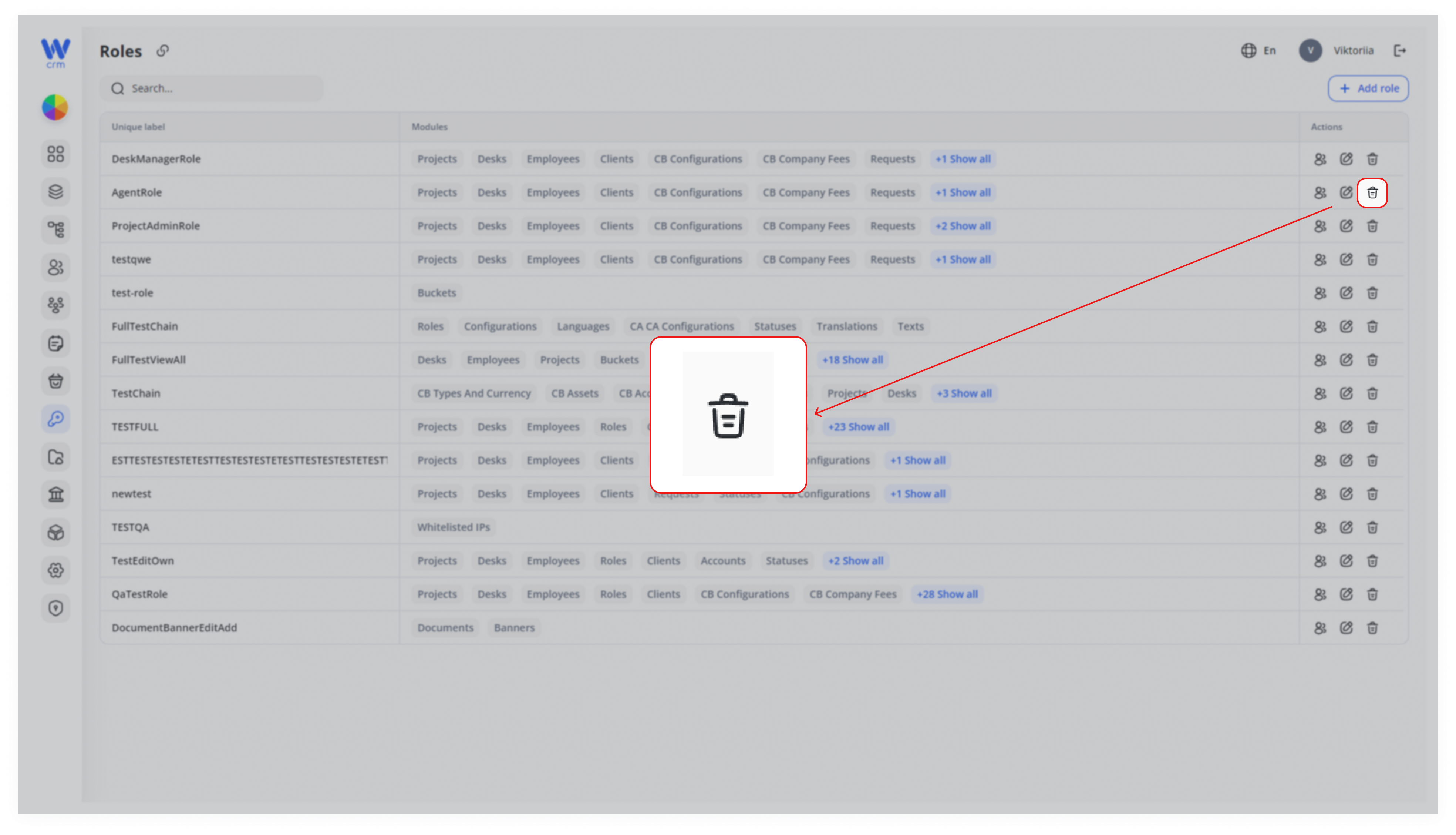
2. Click Delete to confirm the action.
Note: You cannot delete a role if it is assigned to anyone.

Warning: You cannot restore deleted roles.
To delete a role:
1. Click the Delete icon in the Actions column of the role’s row:
2. Click Delete to confirm the action.
Note: You cannot delete a role if it is assigned to anyone.