
6. Trading: Trading Groups
Trading Groups define leverage and trading parameter overrides for clients registered within the system.
Trading Groups are the single source of truth for leverage.
Symbols and Trading Pairs do not define or influence leverage in any margin, execution, or risk calculation.
Finding the Page
Page Layout & Controls
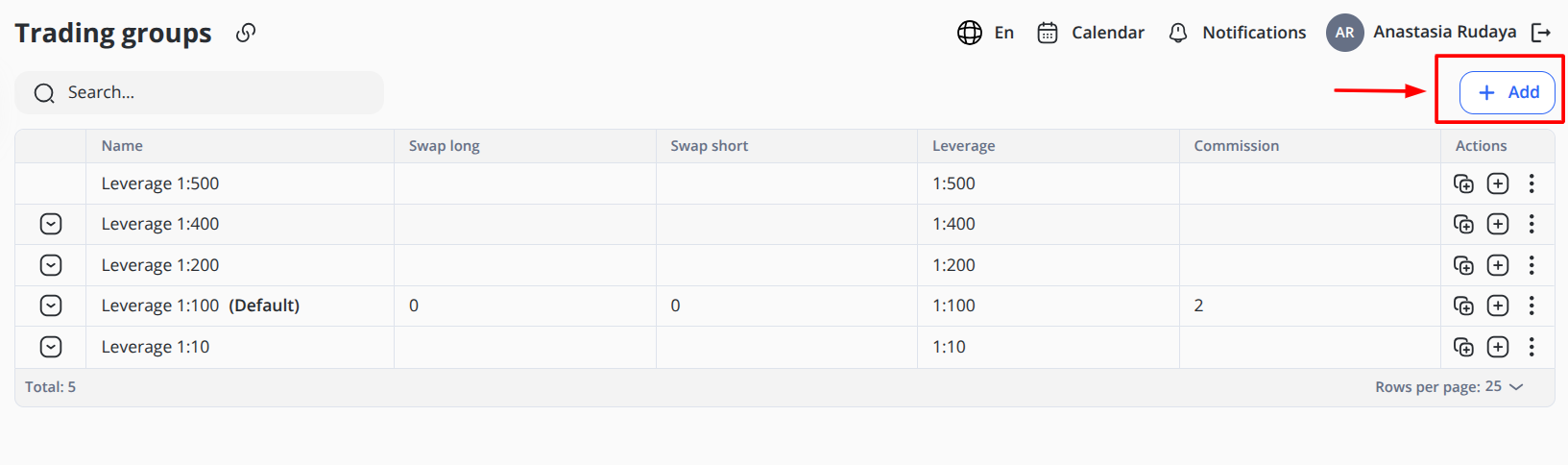
+ Add — Opens the Add Trading Group form.
Search Field — Allows users to search for trading groups by entering relevant keywords or identifiers.
Total — Shows the number of trading groups displayed in the table.
Locked Leverage Groups
The system includes 5 predefined, locked Trading Groups:
-
Leverage 1:10
-
Leverage 1:100
-
Leverage 1:200
-
Leverage 1:400
-
Leverage 1:500
These groups:
-
Can be modified or deleted
-
Can define category-level overrides
-
Are available for assignment to any client
On account creation: The system automatically assigns a trading group, which is marked as default.
Creating a Trading Group
Click + Add
General Section
- Name: Full descriptive name
- Leverage: Defines the base leverage for the group
Example:
1:10
1:100
1:400
- Swap Long: Defines the swap value applied to long positions
- Swap Short: Defines the swap value applied to short positions
- Commission: Commission value applied to trades
- Active (toggle): If disabled, the group remains stored but cannot be used for new assignments.
Click Save
Group Configuration Overrides
To add specific values for Symbols and Symbol groups for the trading group, select the group from the Trading groups table and choose one of the actions you need: add Symbol or Symbol group.
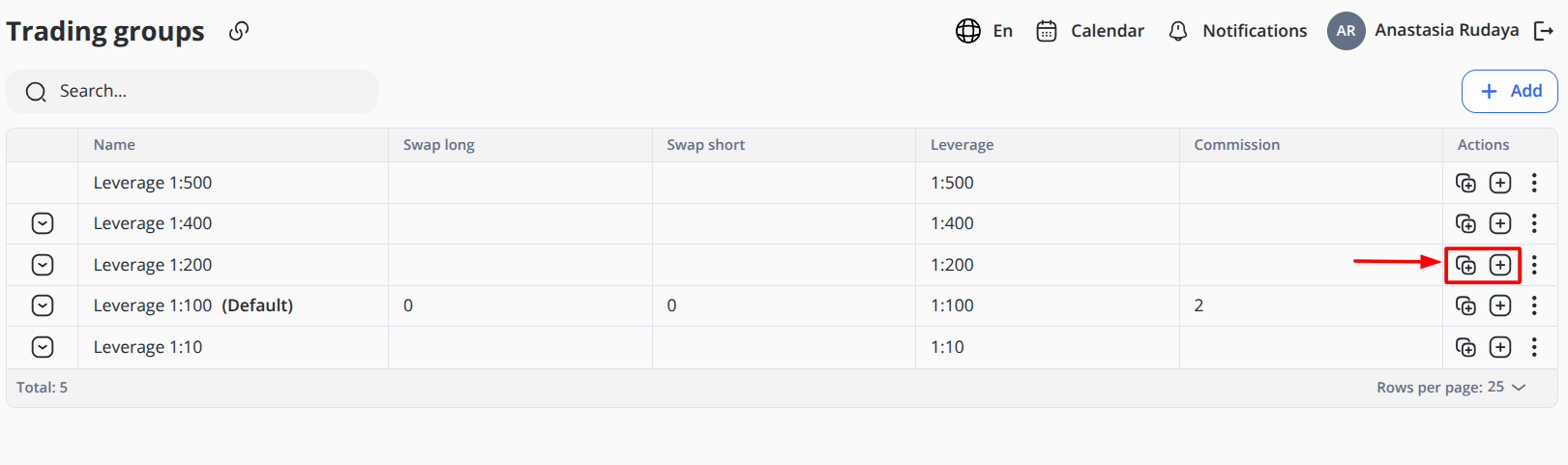
You may define overrides for the following Symbol groups:
-
Forex
-
Crypto
-
Commodities
-
Stocks
-
Indices
Example:
- Group: Forex
- Swap Long: -3.5
- Swap Short: 1.2
- Leverage 1:200
- Commission: 0.05
*Example values are provided for demonstration purposes only
To define configurations for specific Symbols (trading pairs) like BTC/USDT, ETH/BTC, or NEO/USDT, set configurations for each field:
Example:
- Symbol: BTC/USDT
- Swap Long: -0.16
- Swap Short: 0.5
- Leverage 1:200
- Commission: 0.05
*Example values are provided for demonstration purposes only.
If no override exists, the group applies the default configurations.
What Trading Groups Can Override
Trading Groups may override:
-
Commission
-
Swap long
-
Swap short
-
Category-level leverage
They do NOT override:
-
Price feeds
-
Tick size
-
Contract size
-
Trading hours
-
Weekend rules
-
Price deltas
The following is no longer supported:
-
Margin ratio defined on Symbols
-
Leverage defined in Trading → Configurations
-
Multiple group stacking for leverage resolution
Leverage resolution is strictly: Account → Trading Group → Category Override → Effective Leverage
Assigning Trading Group to an Account
When a new client is created inside our system, it automatically assigns the trading group marked as default.
This group serves as the initial trading configuration for all newly registered accounts and defines leverage, swaps, and commission settings. Values for specific Symbols or Symbol Groups are not defined by default.
The assigned Trading Group can be changed manually later if the client requires different trading conditions.
To change the Default group:
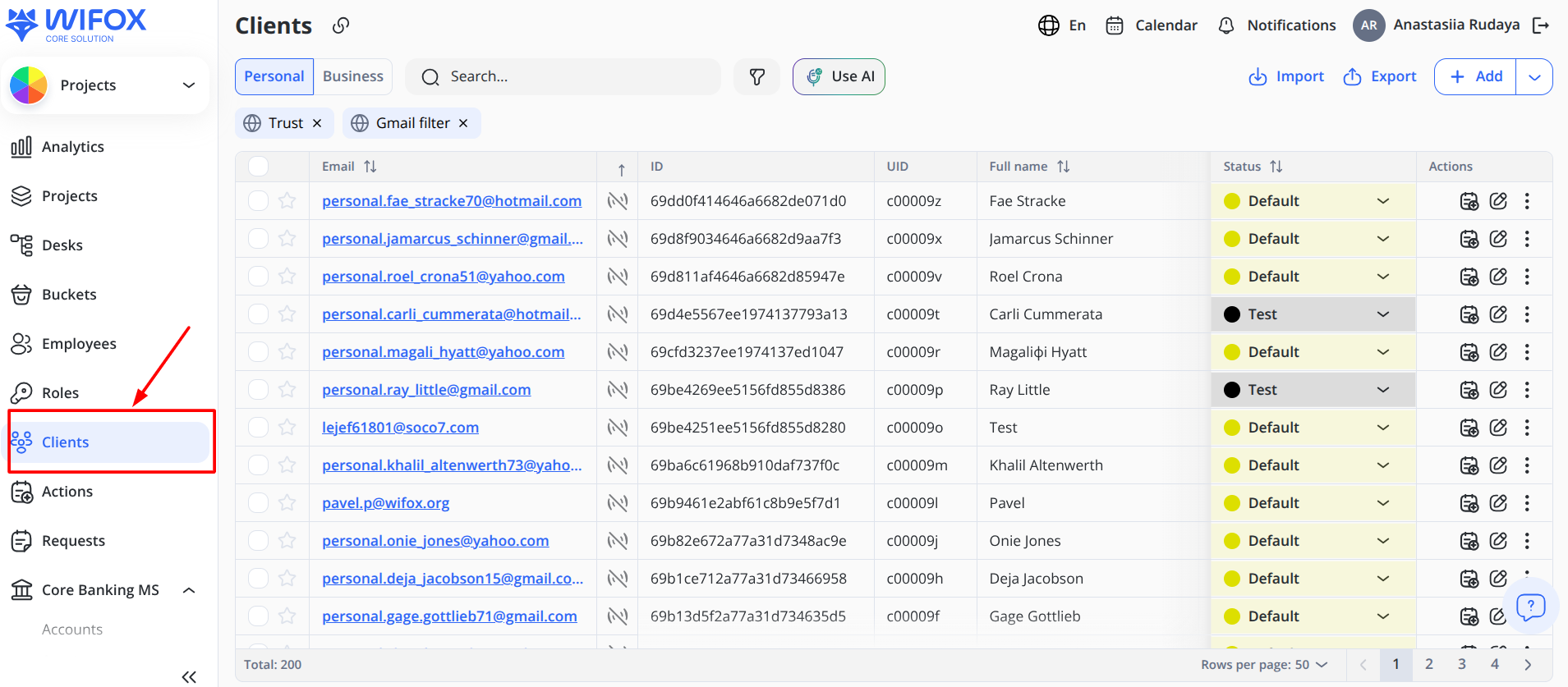
1. Choose the client in the Clients module that requires changes
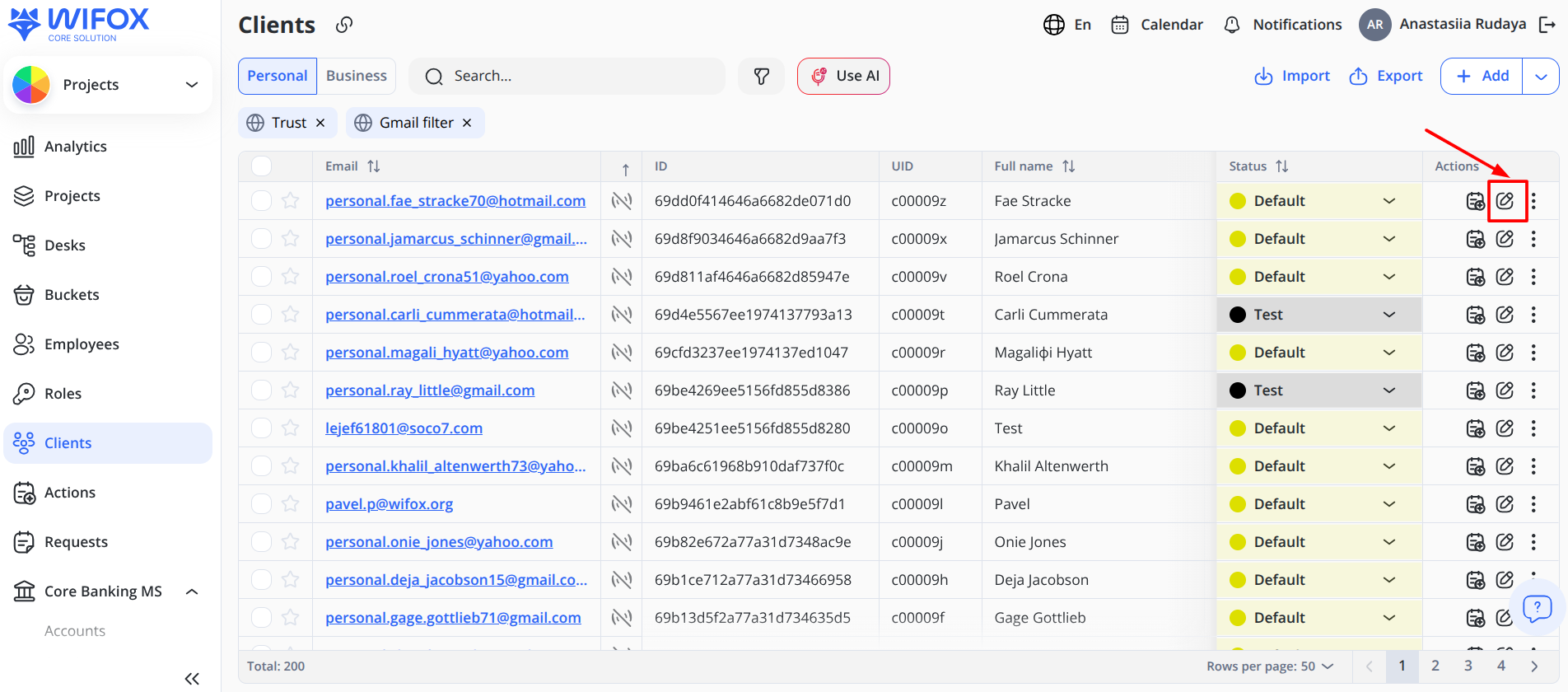
2. Click Edit on the right side of the table
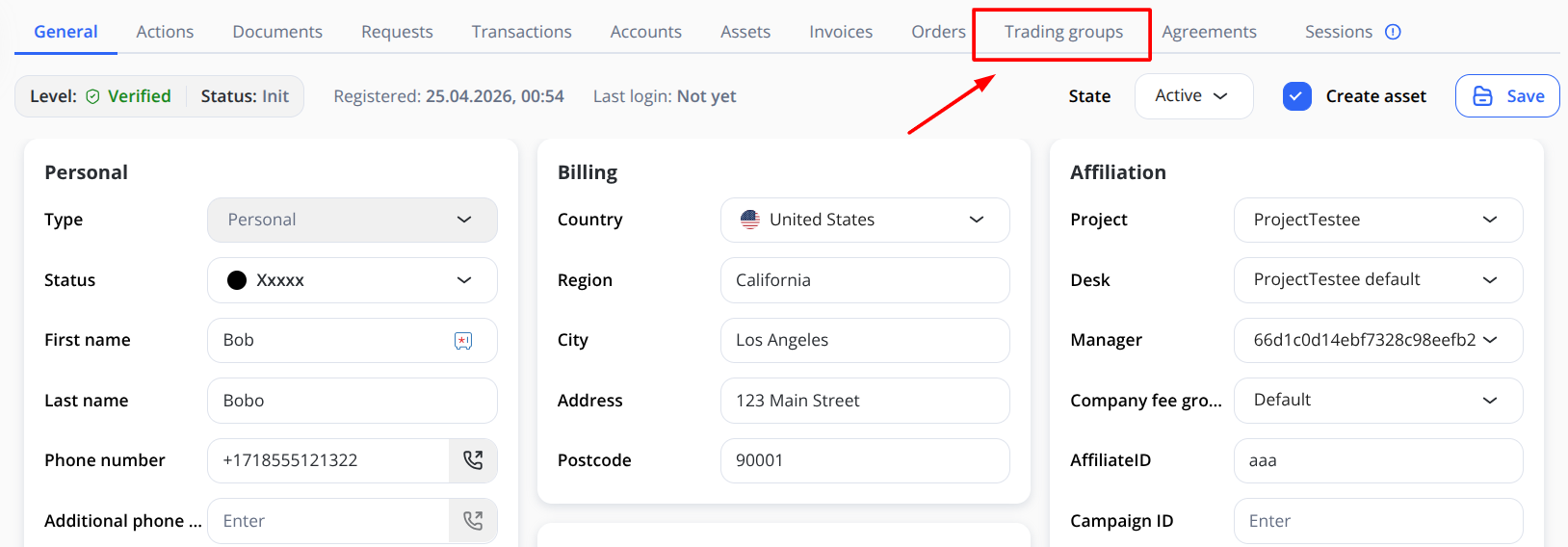
3. Select Trading Groups in the table header
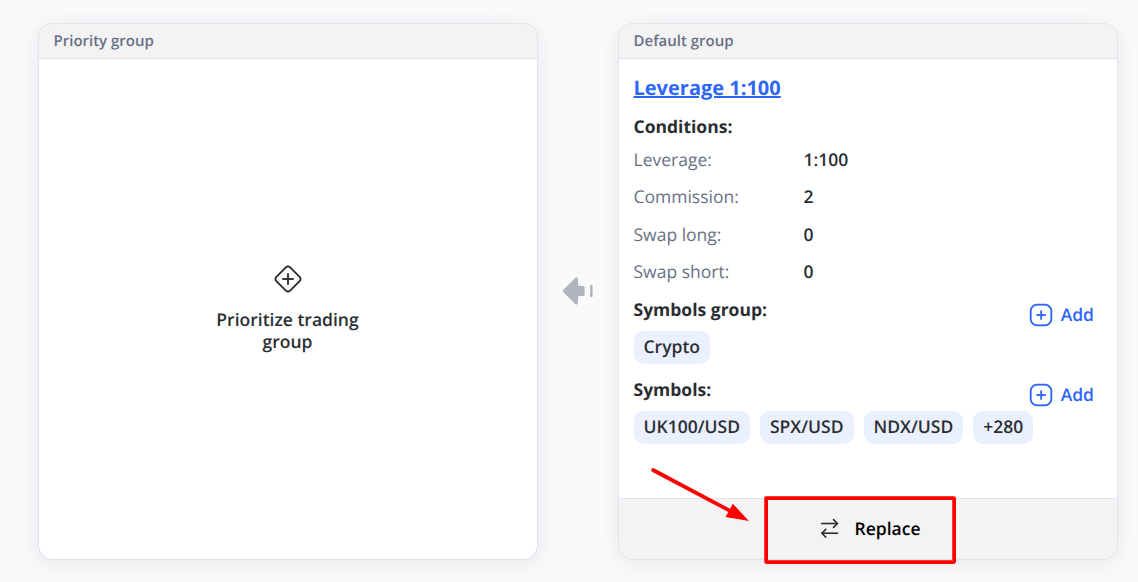
4. Click Replace and select the required option from the drop-down list
5. Click Save
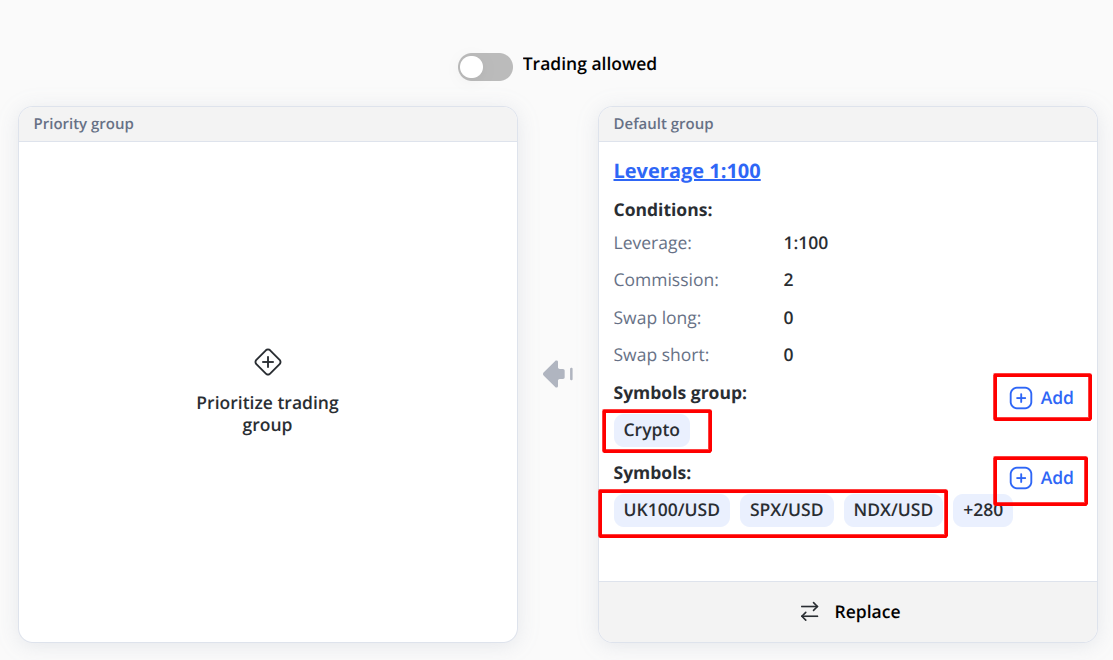
You can also add values for specific Symbols or Symbol Groups within this Default group. For example, if you need to add custom values for crypto trades, open the window with the current values for the Default group and click Add to configure settings.
Then:
-
In the window that opens, select the required category from the drop-down menu.
-
Assign values for Swap Long, Swap Short, Leverage, and Commission.
-
Save the changes.
In this way, you can define all required specific settings.
Hierarchy of Values
When the client initiates a buy or sell trade, the system determines which value configuration to use as follows:
-
First, it checks whether specific values are predefined at the Symbol level.
-
If no Symbol-level values are defined, the system checks the Symbol Group level.
-
If no specific values are configured at either the Symbol or Symbol Group level, the system applies the default settings from the assigned Trading Group.
This creates the following hierarchy for applying value configurations:
Symbol → Symbol Group → Trading Group
Changing the Default group to the Priority group
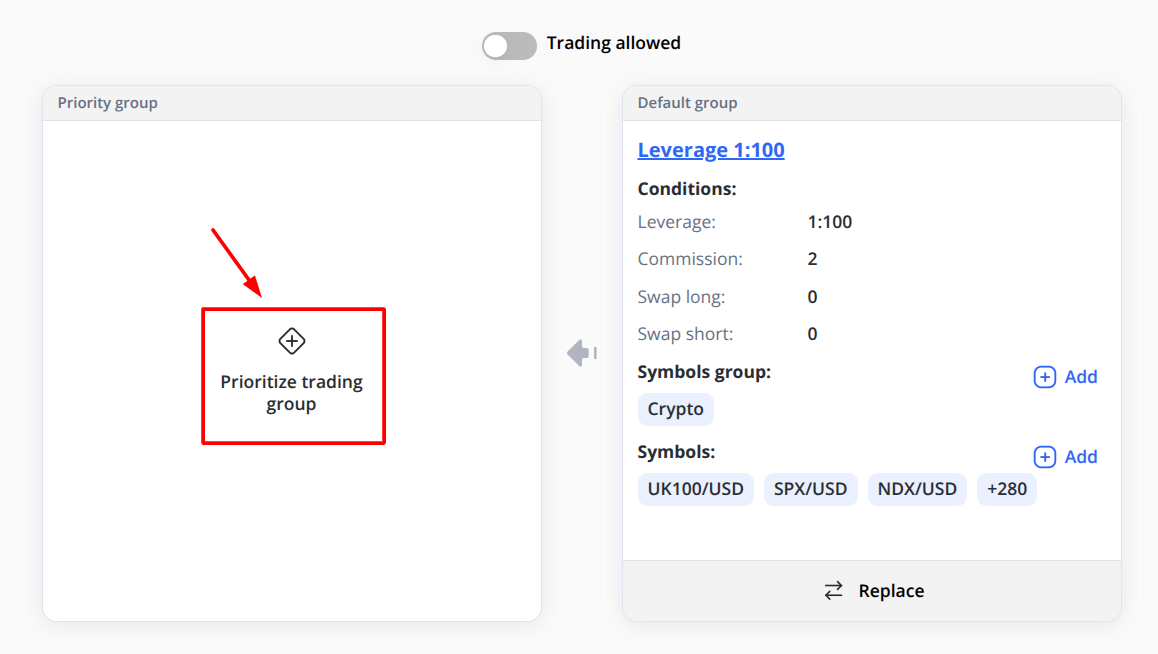
If your client requires specific configurations for Symbols or Symbol Groups, you can change their default Trading Group to the Priority Group.
Follow these steps:
-
Choose the client in the Clients module that requires changes
-
Click Edit on the right side of the table
-
Select Trading Groups in the table header
-
Click + Prioritize Trading Group and select the required option from the drop-down list
-
Click Save
-
In the Priority Group Settings window, choose a specific Symbol Group or Symbol and set the required values
In this case, the hierarchy for applying configurations will be as follows:
-
Symbols in the Priority Group
-
Symbol Groups in the Priority Group
-
Symbols in the Default Group
-
Symbol Groups in the Default Group
-
Default configurations of the Trading Group
The system must always have one active Trading Group assigned to each client before trading is allowed.
Multiple group ordering logic is no longer used for leverage.
Specifics of Changing Trading Group
If the account has open positions, a modal appears:
Recalculate margin for current open positions?
Yes / No
If "Yes" Selected
-
All open positions are recalculated using new effective leverage
-
Margin requirement updates immediately
-
Liquidation levels adjust accordingly
If "No" Selected
-
Existing positions keep original leverage and margin
-
New orders use the new Trading Group leverage
-
Stored leverage on positions remains unchanged
Position Leverage Storage
At order execution:
-
Effective leverage is calculated
-
That leverage is stored on the Position
-
It becomes immutable
Stored leverage is used for:
-
Margin maintenance
-
Liquidation checks
-
Risk monitoring
-
PnL exposure logic
If Trading Group changes later and "No recalculation" was selected:
Existing positions continue using stored leverage.
Leverage Architecture
Core Principle
Leverage is resolved exclusively through Trading Groups.
Symbols and Trading Pairs never define leverage.
Effective Leverage Resolution
When an order is placed:
-
System reads the account’s Trading Group
-
System checks for an instrument category override
-
If override exists → use override leverage
-
If no override exists → use group default leverage
Effective Leverage =
Category Override (if exists)
else Group Default Leverage
The effective leverage is:
-
Applied during margin validation
-
Stored on the Position at execution
-
Used later for liquidation and risk logic
Margin Calculation
Margin is calculated using stored leverage on the position:
Margin = Contract Size × Volume × Price / Stored Leverage
For example:
-
Contract Size = 100,000
-
Volume = 0.1 lot
-
Price = 1.1000
-
Stored Leverage = 100
Calculation:
- Margin = 100,000 × 0.1 × 1.1000 / 100
- Margin = 110
- So, the required margin is 110.
The system does not read leverage from:
-
Symbol
-
Trading pair configuration
-
Historical group values
Only stored leverage is authoritative.
Editing & Deleting Groups
Edit
Open the form → Modify values → Save.
Changes affect:
-
New orders immediately
-
Existing positions only if recalculation was selected
Delete
Deleting a group:
-
Removes it from availability
-
Does not delete historical stored leverage on positions
Locked default groups cannot be deleted.
Interaction With Trading Configuration
Trading → Configurations remains baseline for:
-
Symbol setup
-
Contract size
-
Trading hours
-
Swap defaults (if not overridden)
-
Commission defaults (if not overridden)
Leverage is never read from Trading pairs.
Best Practices
-
Use predefined leverage groups whenever possible.
-
Avoid excessive category overrides unless required by risk policy.
-
Review open positions before changing leverage for large accounts.
-
Use clear and descriptive Names. Label is generated automatically.
-
Document internal criteria for assigning leverage tiers.
Glossary
Trading Group
Container defining leverage and trading parameter overrides for clients.
Default Leverage
Base leverage defined at group level.
Category Override
Optional leverage rule for instrument family.
Effective Leverage
Leverage resolved at order execution.
Stored Leverage
Immutable leverage saved on a Position at creation time.