
3. How to Create a Bucket
To add a new bucket, follow these steps:
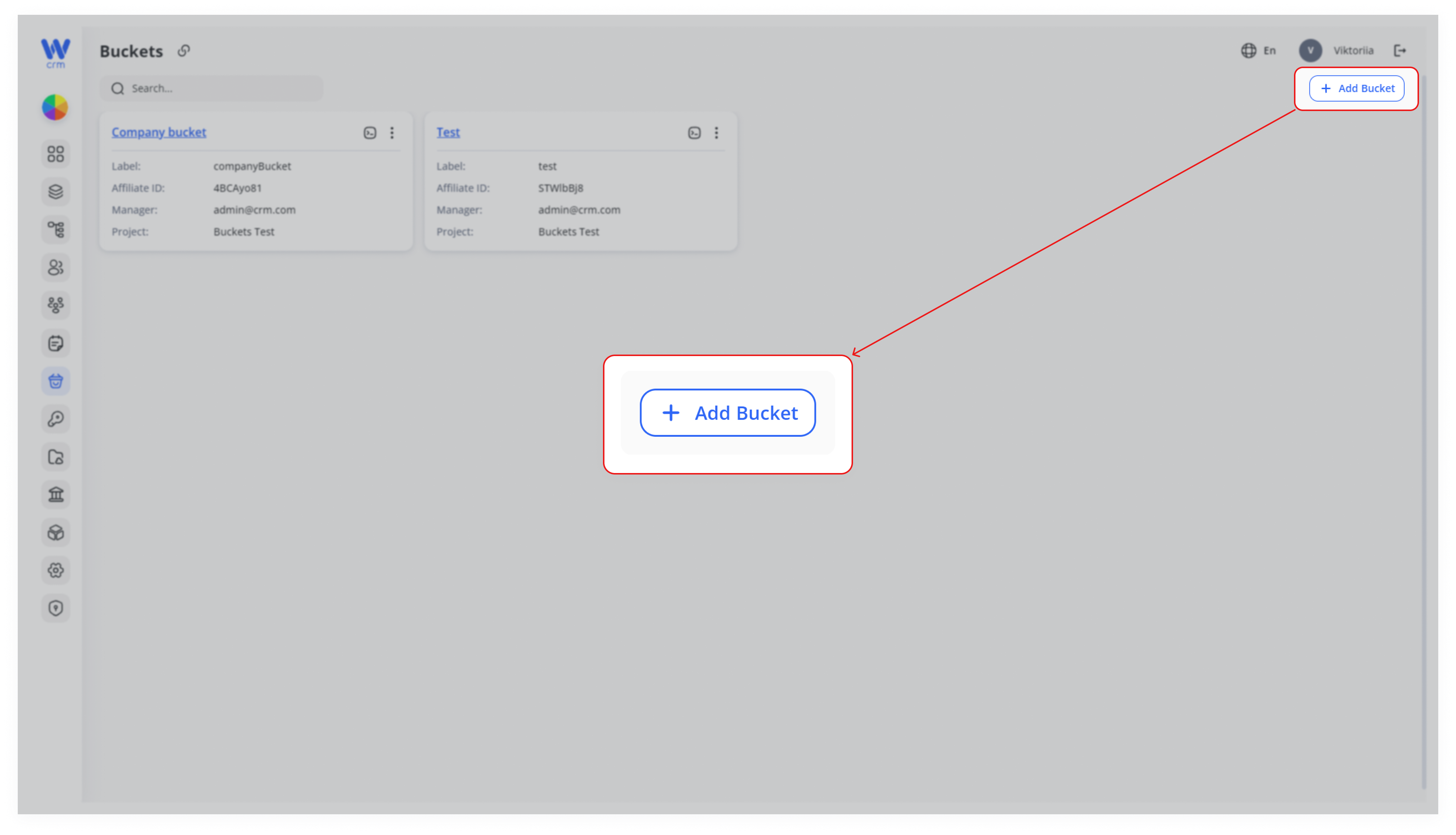
1. Click the Add Bucket button in the top-right corner.
2. Enter or select the following details from the drop-down lists:
-
-
-
Project: The project to which the bucket will be assigned. You will be able to assign clients only to the desks within this project.
-
Manager: The employee responsible for managing clients in this bucket.
-
Affiliate (optional): The employee responsible for bringing new clients into this bucket.
-
Label: A system name for the bucket.
-
Name: A public name for the bucket.
-
Affiliate ID: A unique identifier used to track clients brought into this bucket and monitor their activities.
-
-
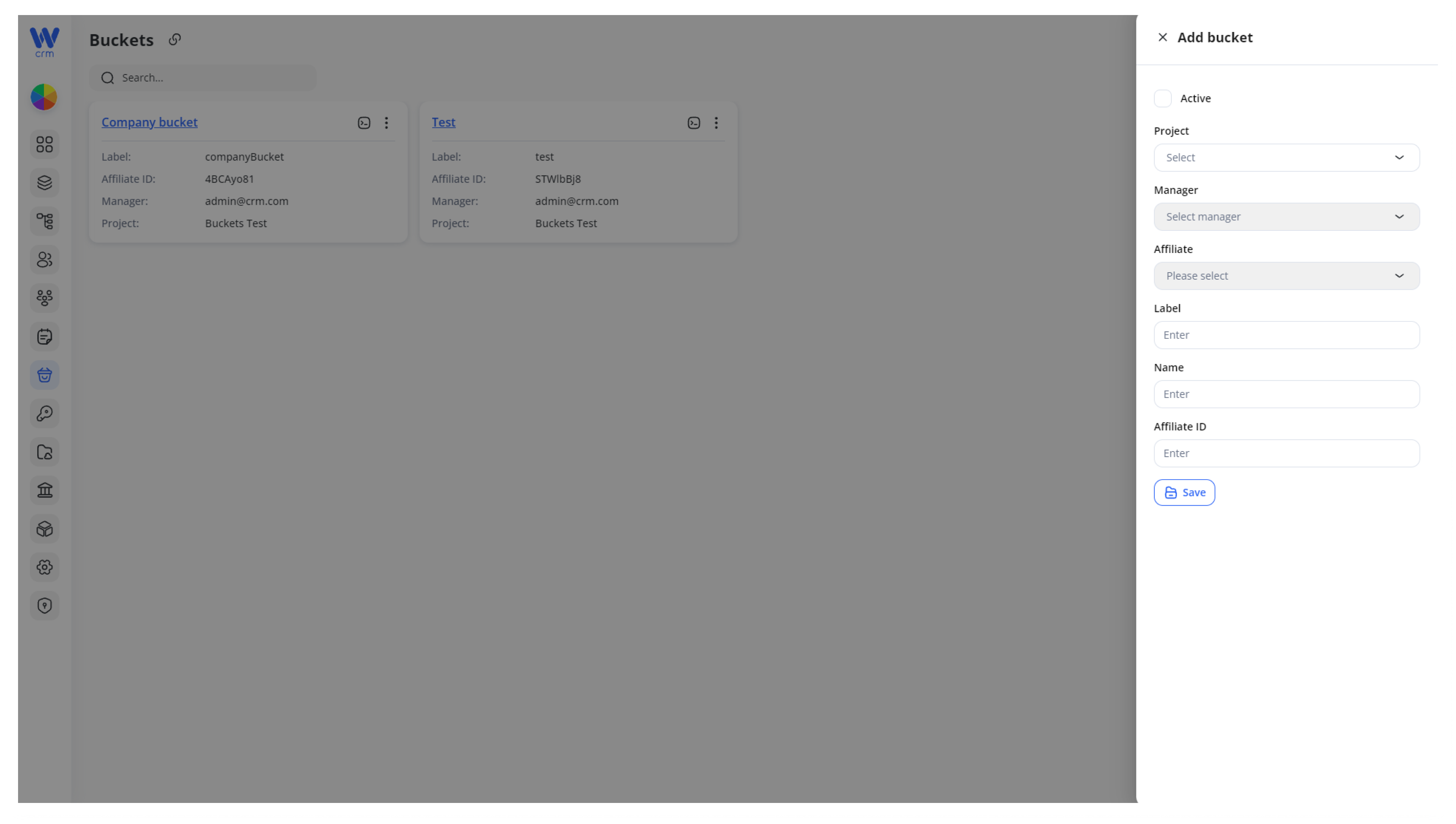
3. Click Save to create the new bucket.