3. WBCS Modules and Their Relationship
The main module of the WBCS system is Projects. The current active project is always displayed at the top of the drop-down menu, allowing you to easily track which project you're working on:
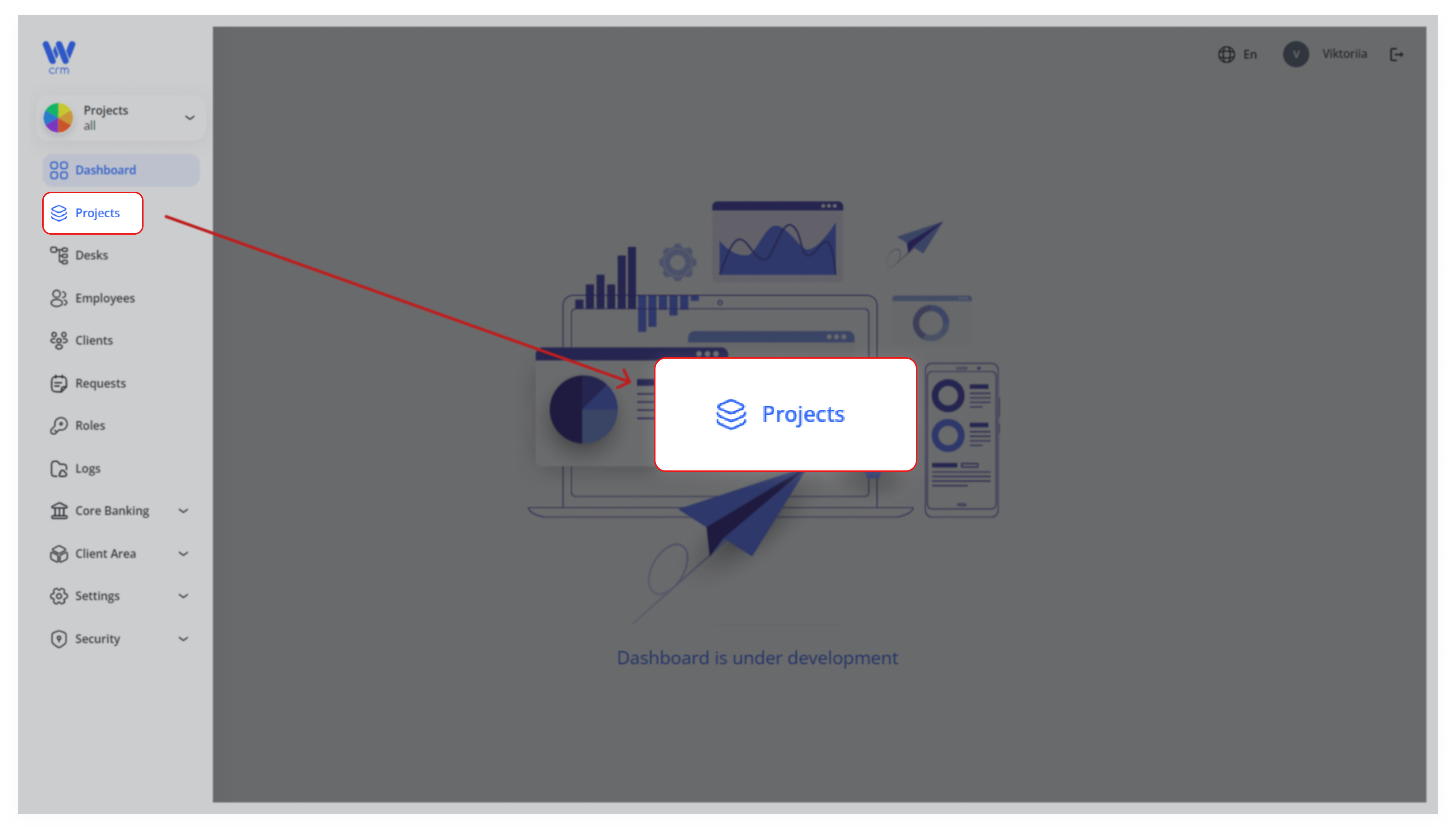
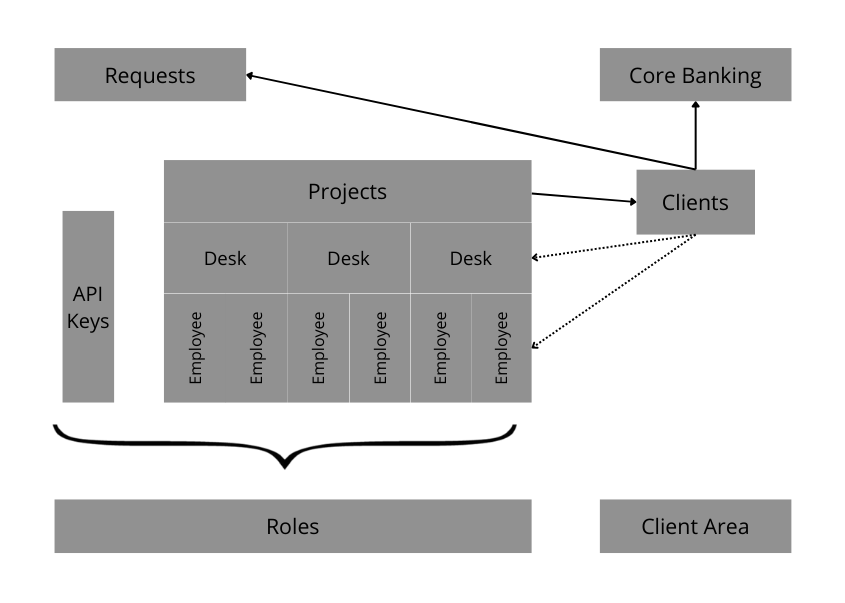
The Projects module is directly linked to the following modules:
-
Desks: Multiple desks can be assigned to a single project. When a new project is created, a default desk is automatically generated.
-
Employees: Employees are assigned to specific projects and desks. Before an employee can be deleted, they must be removed from both the desk and the project.
-
Clients: Clients are associated with projects and desks. Clients are primarily
areassociated with projects but could be assigned tothea specific deskor/andand/or tothea specific manager (employee).
The following modules are partially dependent on the Projects module and other modules:
-
Requests:
ThisSupportmoduleticketsisand service requests may apply to an entire project or be tied to a specific client within that project, enabling flexibleandissuecan be used for various purposes, such as support, creating requests, and tracking communication with clients. Requests can be associated with either entire projects or individual clients.tracking. -
Core Banking:
ThisManagesmoduleamanages theproject’s financialaspectsentitiesof(Accounts,projects,Assets,including accounts, assets,Transactions) andtransactions.letsItyoualsodefineallowsproject‑specificforledgerthesettingsmanagement(Actionsofsub‑types,financialauto‑incrementissues at the client level, separate from the project.UIDs). -
Client Area:
ThisPowersmodulethe customer‑facing portal (webstore, client dashboard) with project‑scoped content and embeddable Snippets. -
Configurations (Marketplace): Houses project‑scoped reference data (status lists, account types, currencies) that you can clone from other projects for fast setup.
-
Marketplace → Products / Orders / Payment Methods / Integrations: Catalog modules where each product, order, payment method and integration record is
usedscoped to a project formanagingisolatedthe user's platform, such as an online store or website.management. -
Roles:
RolesDefinesapply across all projects and are used to defineView/Manage permissionsfor(ownbothvs.Employeesall)andwithinClients.theAPIcontextconfigurationsofarethealsoactivemanagedproject,throughensuringRoles.access control is project‑aware. -
API:
ThisAllmodule handlesexternal integrationswithandthird-partywebhooksplatforms.(Postbacks, Fireblocks, Huntli, etc.) operate under the selected project, so calls and events are correctly routed. -
Translations / Texts / Templates: Localizes UI labels, longer text content and notification templates on a per‑project basis to support multi‑lingual deployments.
-
Analytics: Dashboard metrics (Turnover, Clients Registered, FTD, Manager Performance, etc.) are calculated for the currently selected project.
-
Calendar / Notifications: Events (Calls, Reminders) and in‑app notifications are tied to both employees and the active project, ensuring timely alerts.
-
Incident Reports / Violation Reports / Penetration Reports: Security modules for logging, tracking and closing incidents, policy violations and pen‑tests, all linked to the relevant project.
-
Pipelines: Displays CI/CD run histories (Jenkins, GitLab CI, etc.) project‑by‑project, so build and deployment statuses are scoped correctly.
The scheme of the WBCS modules and their relationship below: