
12. Clients Duplicates
The Duplicates action identifies cases where a client registers more than once, typically using the same email or other key data. This can happen if a client forgets they already have an account or signs up again via different marketing campaigns.
Use Cases
-
Tracking Re-Registrations
View duplicate entries to understand why a client signed up multiple times, whether due to forgotten credentials or different marketing campaigns. -
Maintaining Complete Client Records
Ensure all client sign-ups are accurately tracked and linked to a primary record, preserving a full registration history. -
Identifying Duplicate Accounts
Only clients with multiple registrations will appear in the Duplicates section, allowing for efficient detection and resolution.
How It Works
1. Automatic Detection
As soon as a new registration matches an existing email (or another unique identifier), the system flags it as a duplicate behind the scenes—no manual setup required.
2. Duplicates Icon
In the main Clients table, any row with flagged duplicates displays the Duplicates icon in the Actions column:
Note: Clicking this icon opens a page showing all known duplicate accounts associated with that primary record.
3. Details
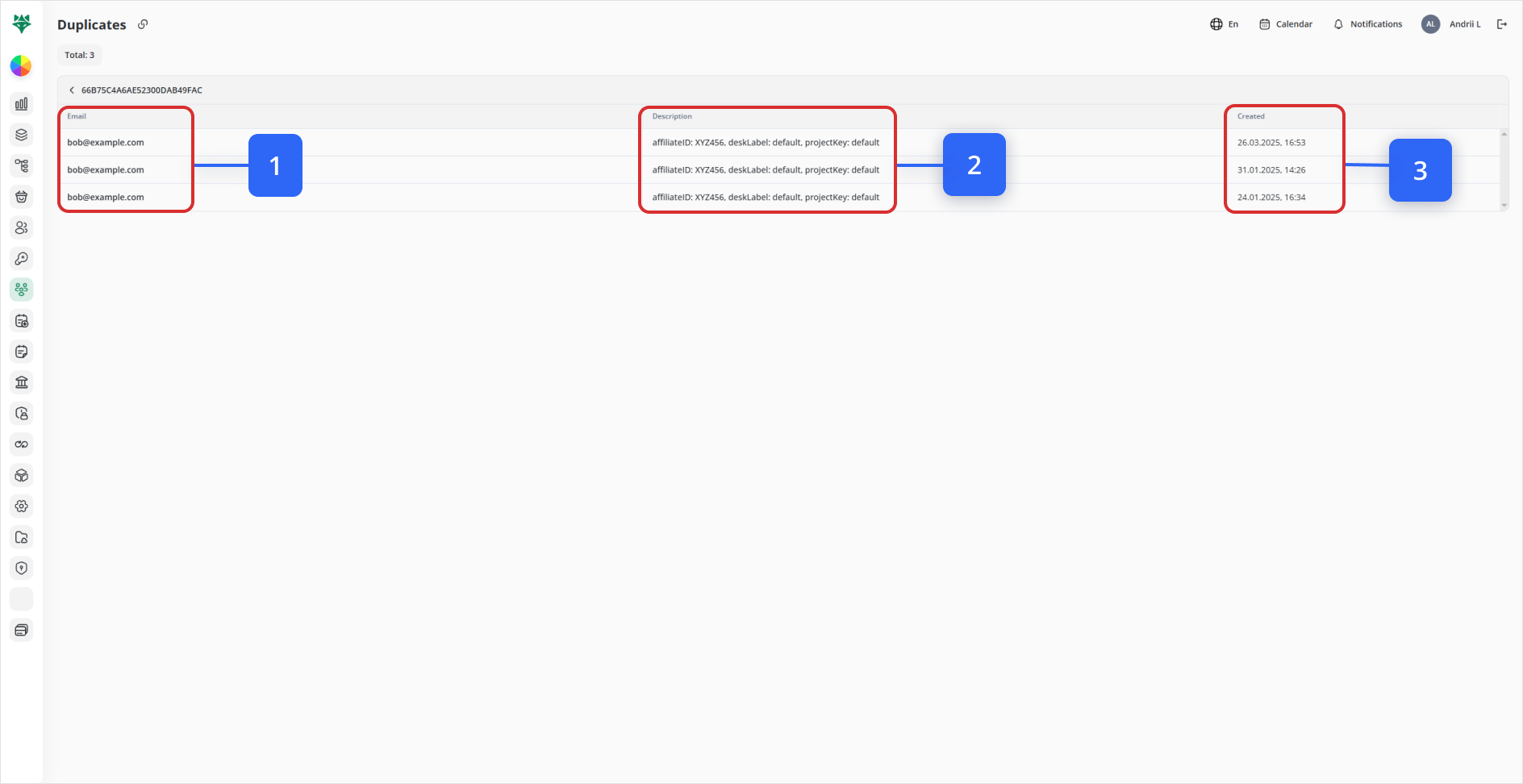
Clicking the icon takes you to a dedicated Duplicates screen for that primary client. Here you’ll see all associated accounts lined up side by side, with:
| Callout | Field | Description |
|---|---|---|
| 1 | The duplicated email address. | |
| 2 | Description | Key metadata (e.g., affiliateID, deskLabel, projectKey) to distinguish each record. |
| 3 | Created | Timestamp of when each duplicate account was first created. |
Next Steps: Resolving Duplicates
- Audit Each
RecordRecord:
Click into individual client profiles to compare personal details, activity logs, and transaction history.
- Merge or
DeactivateDeactivate:
Merge: Consolidate contacts, balances, and documents into the primary profile.
Deactivate: If merging isn’t appropriate, deactivate the extra accounts to prevent confusion.
- Monitor Over
TimeTime:
Periodically revisit the Duplicates view to catch new re-registrations and ensure ongoing data hygiene.
Conclusion
By leveraging the Duplicates feature, you can:
-
Keep your client database clean and reliable
-
Preserve a comprehensive history of every registration
-
Prevent fragmented support or billing records
Regular use of this tool ensures that every client interaction is tied back to a single canonical profile—boosting data accuracy and operational efficiency.