
12. Clients Duplicates
The Duplicates action identifies cases where a client registers more than once, typically using the same email or other key data. This can happen if a client forgets they already have an account or signs up again via different marketing campaigns.
Use Cases
-
Tracking Re-Registrations
View duplicate entries to understand why a client signed up multiple times, whether due to forgotten credentials or different marketing campaigns. -
Maintaining Complete Client Records
Ensure all client sign-ups are accurately tracked and linked to a primary record, preserving a full registration history. -
Identifying Duplicate Accounts
Only clients with multiple registrations will appear in the Duplicates section, allowing for efficient detection and resolution.
How It Works
1. Automatic Detection
WhenAs thesoon system recognizes thatas a newlynew registered clientregistration matches an existing clientemail record,(or itanother unique identifier), the system flags the new entryit as a duplicate. behind the scenes—no manual setup required.
2. Duplicates Icon
In the main Clients list,table, someany entriesrow displaywith aflagged duplicates displays the Duplicates icon.icon in the Actions column:
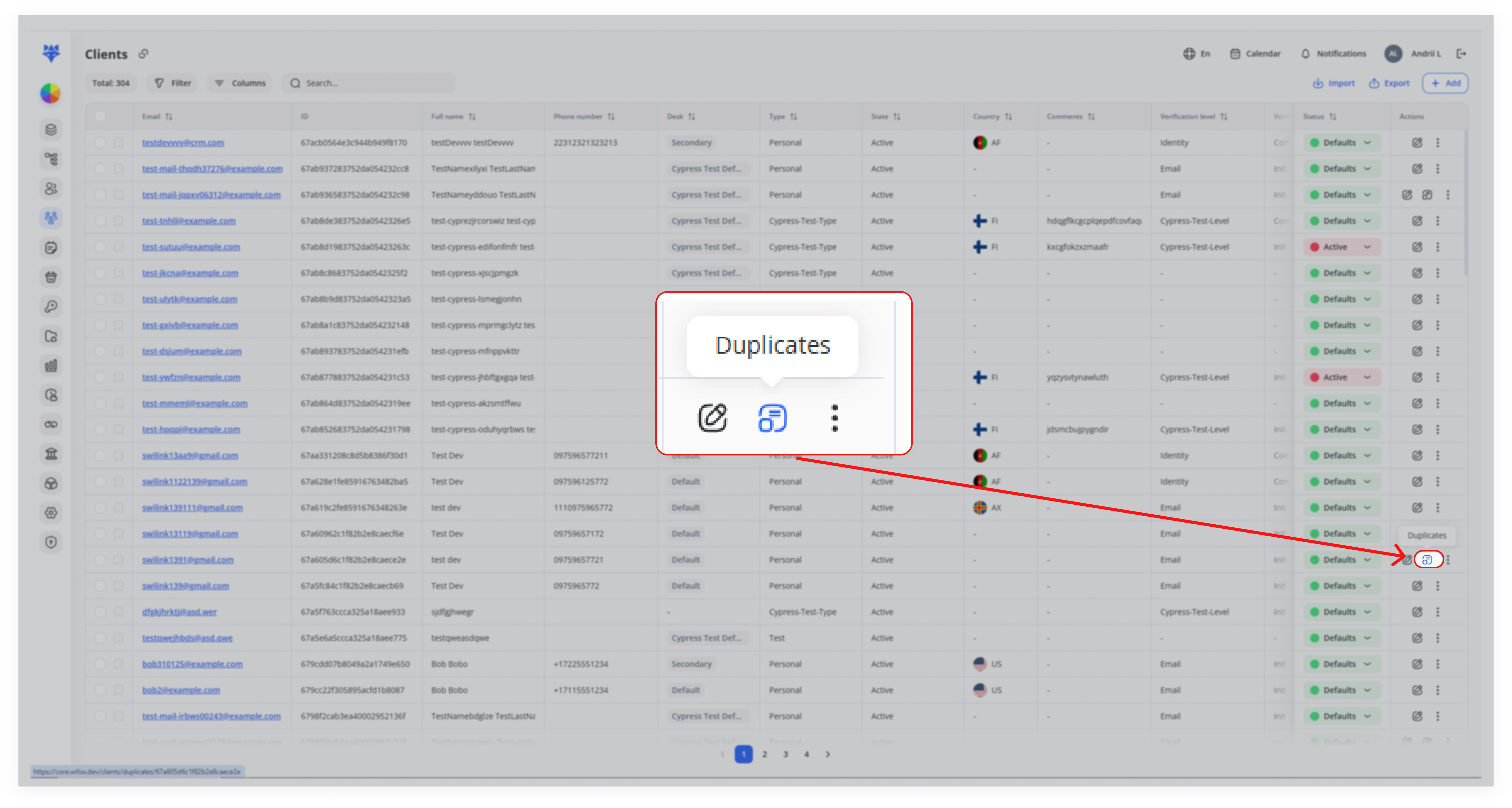
Note: Clicking this icon opens a page showing all known duplicate accounts associated with that primary record.
3. Details
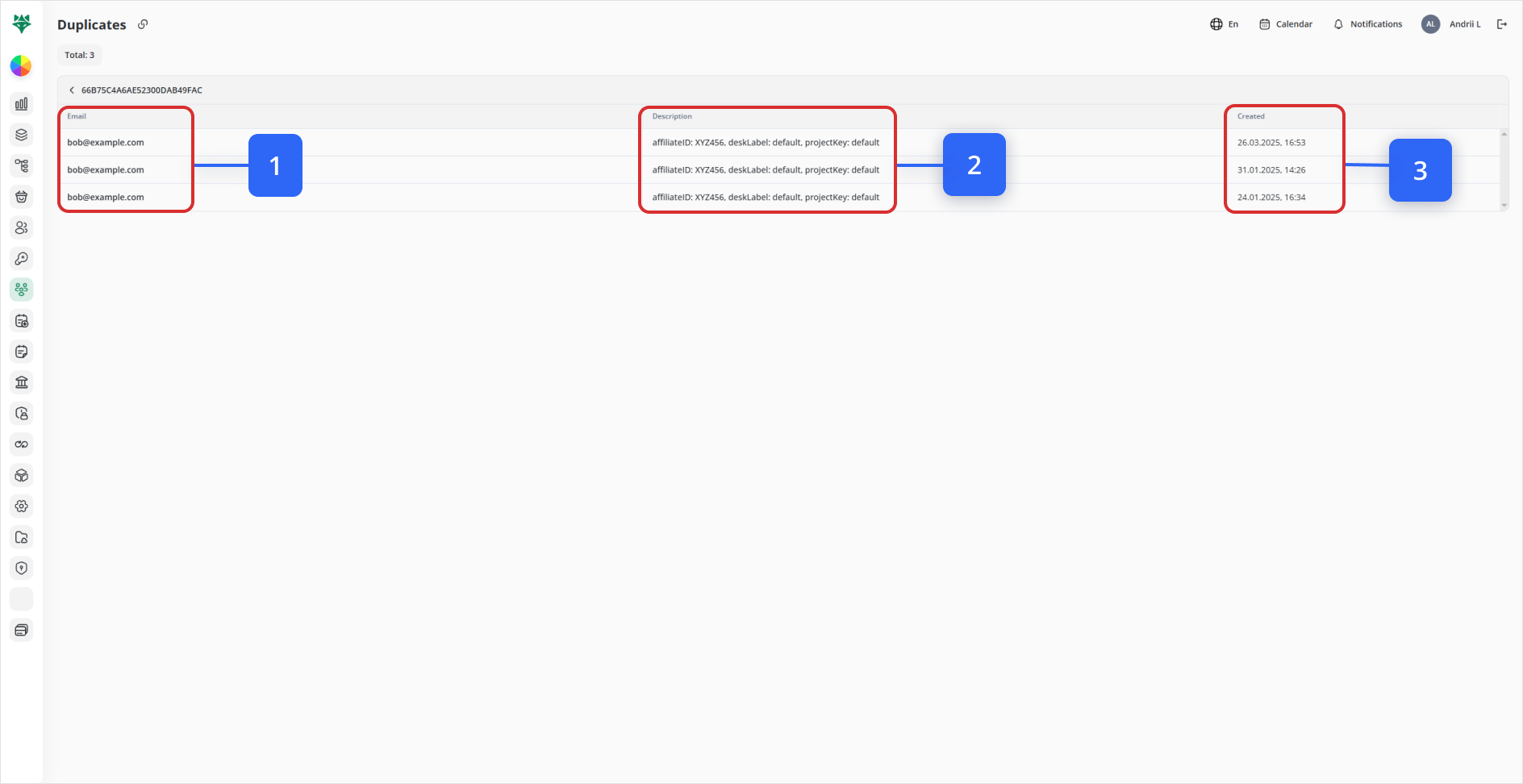
Clicking the icon takes you to a dedicated Duplicates screen for that primary client. Here you’ll see all associated accounts lined up side by side, with:
| Callout | Field | Description |
|---|---|---|
| 1 | The |
|
| 2 | Description | Key metadata ( |
| 3 | Created | Timestamp of when each duplicate |
(2)Next Steps: Resolving Duplicates,
- Audit Each Record
Click into individual client profiles to compare personal details, activity logs, and creationtransaction datehistory.
(3)Merge or Deactivate
Merge: Consolidate contacts, balances, and documents into the primary profile.
InDeactivate: short,If merging isn’t appropriate, deactivate the extra accounts to prevent confusion.
- Monitor Over Time
Periodically revisit the Duplicates actionview helpsto catch new re-registrations and ensure ongoing data hygiene.
Conclusion
By leveraging the Duplicates feature, you managecan:
-
Keep your client database clean and
consolidatereliablemultiple -
fromPreserve
theasamecomprehensiveindividual,historypreservingofimportanteveryinformation.registration -
Prevent fragmented support or billing records
Regular use of this tool ensures that every client interaction is tied back to a single canonical profile—boosting data accuracy and operational efficiency.