# 5. How to Edit a Page

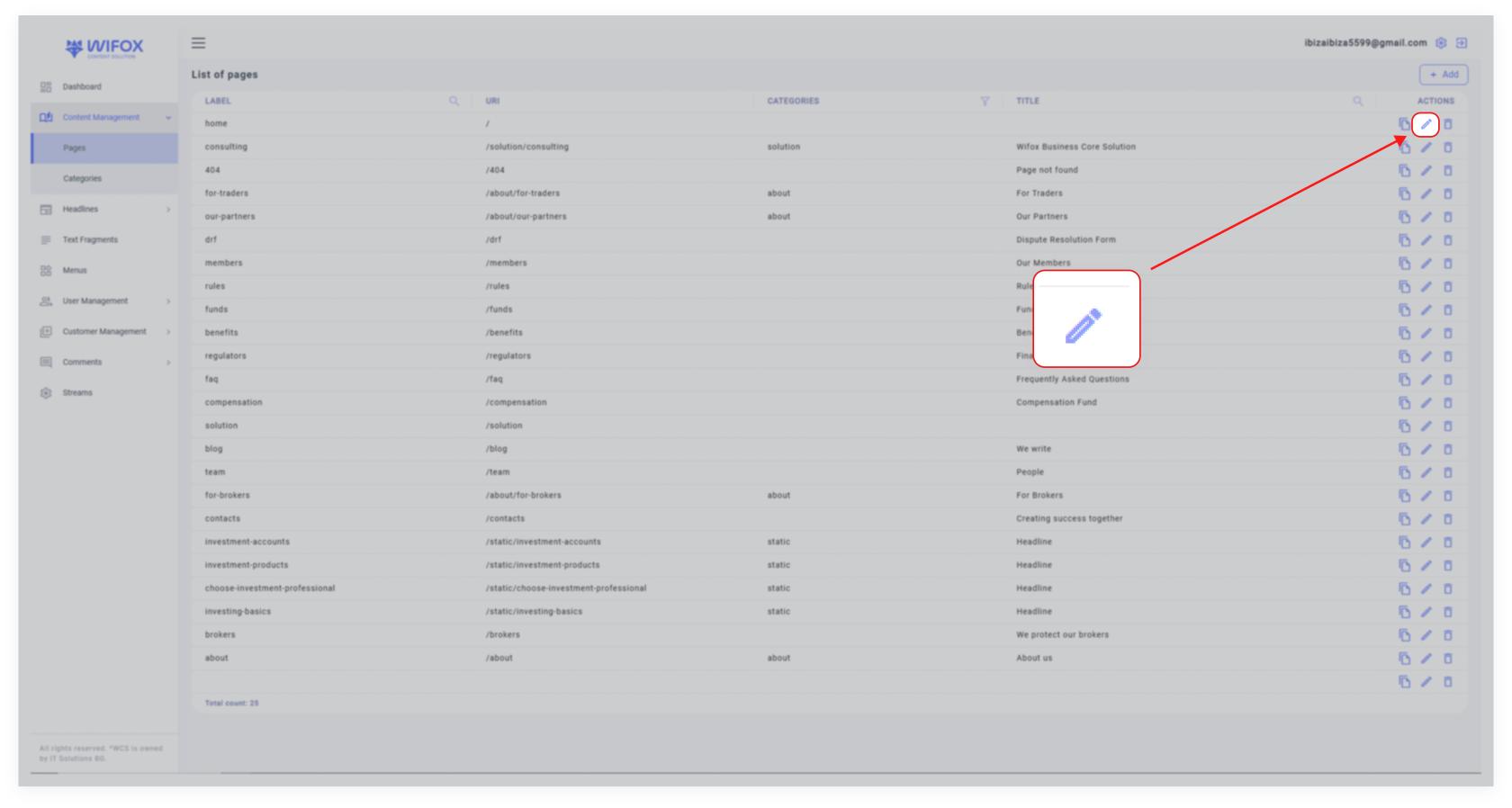
<span style="color: rgb(161, 163, 165);"><span style="font-size: 11pt; font-family: Arial, sans-serif; background-color: transparent; font-weight: 400; font-style: normal; font-variant: normal; text-decoration: none; vertical-align: baseline; white-space: pre-wrap;">1. Navigate to the list of pages in the </span><span style="font-size: 11pt; font-family: Arial, sans-serif; background-color: transparent; font-weight: bold; font-style: normal; font-variant: normal; text-decoration: none; vertical-align: baseline; white-space: pre-wrap;">Page Content</span><span style="font-size: 11pt; font-family: Arial, sans-serif; background-color: transparent; font-weight: 400; font-style: normal; font-variant: normal; text-decoration: none; vertical-align: baseline; white-space: pre-wrap;"> section.</span></span>

<span style="color: rgb(161, 163, 165);"><span style="font-size: 11pt; font-family: Arial, sans-serif; background-color: transparent; font-weight: 400; font-style: normal; font-variant: normal; text-decoration: none; vertical-align: baseline; white-space: pre-wrap;">2. Click the </span><span style="font-size: 11pt; font-family: Arial, sans-serif; background-color: transparent; font-weight: bold; font-style: normal; font-variant: normal; text-decoration: none; vertical-align: baseline; white-space: pre-wrap;">Edit icon</span><span style="font-size: 11pt; font-family: Arial, sans-serif; background-color: transparent; font-weight: 400; font-style: normal; font-variant: normal; text-decoration: none; vertical-align: baseline; white-space: pre-wrap;"> next to the page you want to modify.</span></span>

[![10,01 (11).jpg](https://wiki.wi.services/uploads/images/gallery/2025-04/scaled-1680-/1001-11.jpg)](https://wiki.wi.services/uploads/images/gallery/2025-04/1001-11.jpg)

<span style="font-size: 11pt; font-family: Arial, sans-serif; color: rgb(161, 163, 165); background-color: transparent; font-weight: 400; font-style: normal; font-variant: normal; text-decoration: none; vertical-align: baseline; white-space: pre-wrap;">3. In the edit window, you can:</span>

- <span style="font-size: 11pt; font-family: Arial, sans-serif; color: rgb(161, 163, 165); background-color: transparent; font-weight: 400; font-style: normal; font-variant: normal; text-decoration: none; vertical-align: baseline; white-space: pre-wrap;">Change the label, URI, category, and title of the page.</span>
- <span style="font-size: 11pt; font-family: Arial, sans-serif; color: rgb(161, 163, 165); background-color: transparent; font-weight: 400; font-style: normal; font-variant: normal; text-decoration: none; vertical-align: baseline; white-space: pre-wrap;">Update the page’s content.</span>

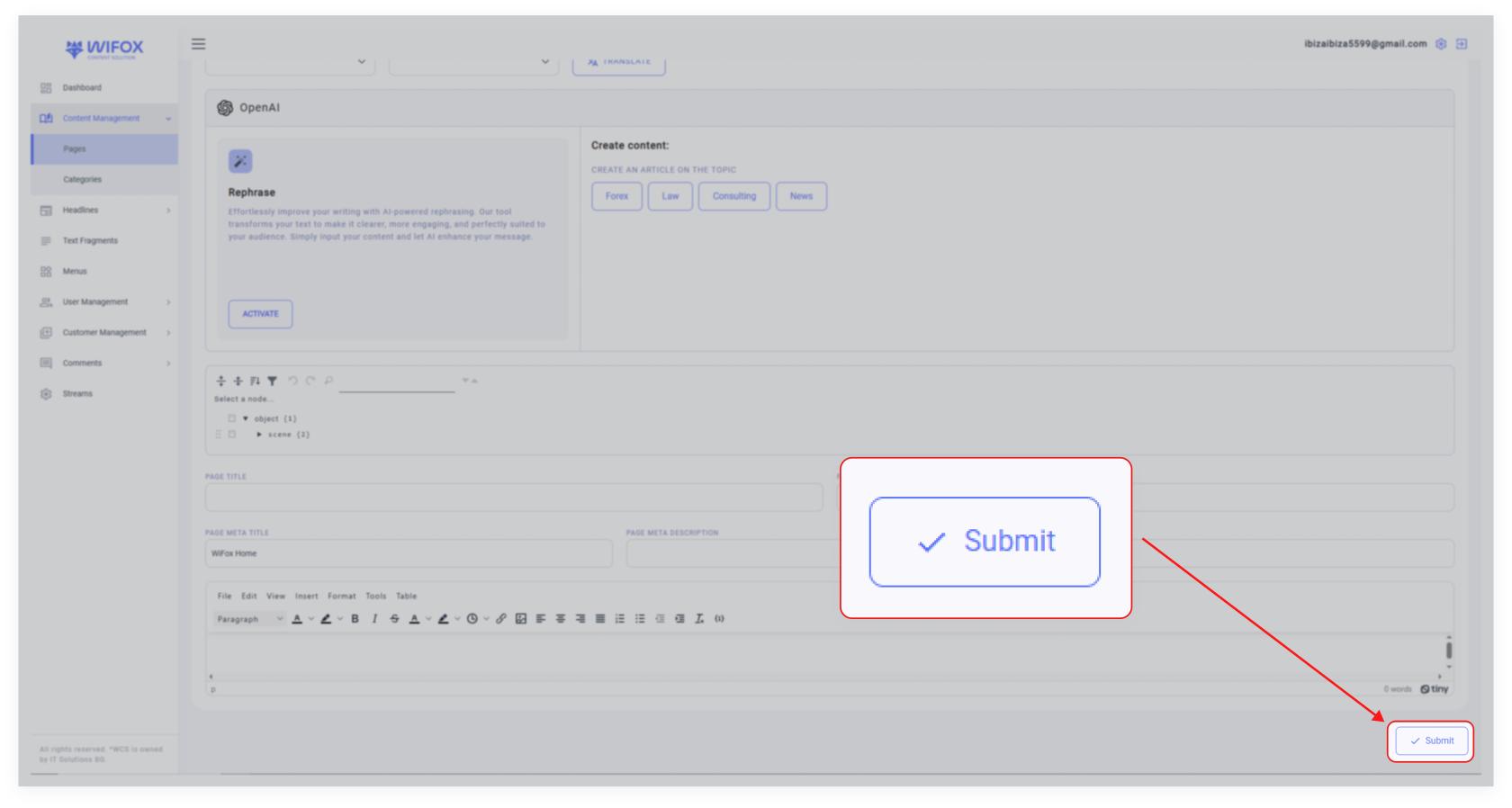
<span style="color: rgb(161, 163, 165);"><span style="font-size: 11pt; font-family: Arial, sans-serif; background-color: transparent; font-weight: 400; font-style: normal; font-variant: normal; text-decoration: none; vertical-align: baseline; white-space: pre-wrap;">4. Save changes by clicking </span><span style="font-size: 11pt; font-family: Arial, sans-serif; background-color: transparent; font-weight: bold; font-style: normal; font-variant: normal; text-decoration: none; vertical-align: baseline; white-space: pre-wrap;">"Submit"</span></span>

<span id="bkmrk--3" style="font-weight: normal; color: rgb(161, 163, 165);"></span>

[![10,01 (10).jpg](https://wiki.wi.services/uploads/images/gallery/2025-04/scaled-1680-/1001-10.jpg)](https://wiki.wi.services/uploads/images/gallery/2025-04/1001-10.jpg)