# User Management


# New Page


# 1. User Management: Overview

The User Management section in Wifox Business Content Solution provides tools for managing both user accounts and role-based permissions. In the **Users** section, administrators can create, edit, and activate/deactivate user accounts, each tied to a specific role. The **Roles** section allows for defining custom access levels using Read-Only (RO) or Read-Write (RW) permissions across different modules, ensuring secure and tailored access control for every team member.

# 2. Users List

<span style="color: rgb(161, 163, 165);"><span style="font-size: 12pt; font-family: Arial, sans-serif; background-color: transparent; font-weight: 400; font-style: normal; font-variant: normal; text-decoration: none; vertical-align: baseline; white-space: pre-wrap;">The </span><span style="font-size: 12pt; font-family: Arial, sans-serif; background-color: transparent; font-weight: bold; font-style: normal; font-variant: normal; text-decoration: none; vertical-align: baseline; white-space: pre-wrap;">Users List</span><span style="font-size: 12pt; font-family: Arial, sans-serif; background-color: transparent; font-weight: 400; font-style: normal; font-variant: normal; text-decoration: none; vertical-align: baseline; white-space: pre-wrap;"> section in Wifox Business Content Solution is designed to manage users who need access to the system. Each user is assigned a </span><span style="font-size: 12pt; font-family: Arial, sans-serif; background-color: transparent; font-weight: bold; font-style: normal; font-variant: normal; text-decoration: none; vertical-align: baseline; white-space: pre-wrap;">role</span><span style="font-size: 12pt; font-family: Arial, sans-serif; background-color: transparent; font-weight: 400; font-style: normal; font-variant: normal; text-decoration: none; vertical-align: baseline; white-space: pre-wrap;"> (created in the </span><span style="font-size: 12pt; font-family: Arial, sans-serif; background-color: transparent; font-weight: bold; font-style: normal; font-variant: normal; text-decoration: none; vertical-align: baseline; white-space: pre-wrap;">Roles</span><span style="font-size: 12pt; font-family: Arial, sans-serif; background-color: transparent; font-weight: 400; font-style: normal; font-variant: normal; text-decoration: none; vertical-align: baseline; white-space: pre-wrap;"> section), which defines their permissions and access levels. This section is where administrators can create, edit, and manage users' accounts, ensuring proper roles and activity status are set for system usage.</span></span>

<span style="font-size: 13pt; font-family: Arial, sans-serif; color: rgb(161, 163, 165); background-color: transparent; font-weight: bold; font-style: normal; font-variant: normal; text-decoration: none; vertical-align: baseline; white-space: pre-wrap;">Use Case Example</span>

<span style="color: rgb(161, 163, 165);"><span style="font-size: 12pt; font-family: Arial, sans-serif; background-color: transparent; font-weight: 400; font-style: normal; font-variant: normal; text-decoration: none; vertical-align: baseline; white-space: pre-wrap;">An administrator creates a new user named "Developer" with the role of </span><span style="font-size: 12pt; font-family: Arial, sans-serif; background-color: transparent; font-weight: bold; font-style: normal; font-variant: normal; text-decoration: none; vertical-align: baseline; white-space: pre-wrap;">Developer</span><span style="font-size: 12pt; font-family: Arial, sans-serif; background-color: transparent; font-weight: 400; font-style: normal; font-variant: normal; text-decoration: none; vertical-align: baseline; white-space: pre-wrap;">, providing their email and setting a secure password. Later, the admin updates the user’s name to "Lead Developer" and toggles the </span><span style="font-size: 12pt; font-family: Arial, sans-serif; background-color: transparent; font-weight: bold; font-style: normal; font-variant: normal; text-decoration: none; vertical-align: baseline; white-space: pre-wrap;">Active</span><span style="font-size: 12pt; font-family: Arial, sans-serif; background-color: transparent; font-weight: 400; font-style: normal; font-variant: normal; text-decoration: none; vertical-align: baseline; white-space: pre-wrap;"> checkbox to ensure the user has access to the system.</span></span>

<span style="font-size: 12pt; font-family: Arial, sans-serif; color: rgb(161, 163, 165); background-color: transparent; font-weight: bold; font-style: normal; font-variant: normal; text-decoration: none; vertical-align: baseline; white-space: pre-wrap;">Key Features of the Users List</span>

<span style="font-size: 12pt; font-family: Arial, sans-serif; color: rgb(161, 163, 165); background-color: transparent; font-weight: bold; font-style: normal; font-variant: normal; text-decoration: none; vertical-align: baseline; white-space: pre-wrap;">1. User Creation</span>

<span style="font-size: 12pt; font-family: Arial, sans-serif; color: rgb(161, 163, 165); background-color: transparent; font-weight: 400; font-style: normal; font-variant: normal; text-decoration: none; vertical-align: baseline; white-space: pre-wrap;">Create new users with specific roles, names, email addresses, and passwords.</span>

<span style="color: rgb(161, 163, 165);"><span style="font-size: 12pt; font-family: Arial, sans-serif; background-color: transparent; font-weight: 400; font-style: normal; font-variant: normal; text-decoration: none; vertical-align: baseline; white-space: pre-wrap;">Ensure the user is set to </span><span style="font-size: 12pt; font-family: Arial, sans-serif; background-color: transparent; font-weight: bold; font-style: normal; font-variant: normal; text-decoration: none; vertical-align: baseline; white-space: pre-wrap;">Active</span><span style="font-size: 12pt; font-family: Arial, sans-serif; background-color: transparent; font-weight: 400; font-style: normal; font-variant: normal; text-decoration: none; vertical-align: baseline; white-space: pre-wrap;"> status to allow system access.</span></span>

<span style="font-size: 12pt; font-family: Arial, sans-serif; color: rgb(161, 163, 165); background-color: transparent; font-weight: bold; font-style: normal; font-variant: normal; text-decoration: none; vertical-align: baseline; white-space: pre-wrap;">2. Role Assignment</span>

<span style="color: rgb(161, 163, 165);"><span style="font-size: 12pt; font-family: Arial, sans-serif; background-color: transparent; font-weight: 400; font-style: normal; font-variant: normal; text-decoration: none; vertical-align: baseline; white-space: pre-wrap;">Assign users a role that defines their permissions. Roles are either pre-existing or custom-created in the </span><span style="font-size: 12pt; font-family: Arial, sans-serif; background-color: transparent; font-weight: bold; font-style: normal; font-variant: normal; text-decoration: none; vertical-align: baseline; white-space: pre-wrap;">Roles</span><span style="font-size: 12pt; font-family: Arial, sans-serif; background-color: transparent; font-weight: 400; font-style: normal; font-variant: normal; text-decoration: none; vertical-align: baseline; white-space: pre-wrap;"> section.</span></span>

<span style="font-size: 12pt; font-family: Arial, sans-serif; color: rgb(161, 163, 165); background-color: transparent; font-weight: bold; font-style: normal; font-variant: normal; text-decoration: none; vertical-align: baseline; white-space: pre-wrap;">3. Editing User Details</span>

<span style="font-size: 12pt; font-family: Arial, sans-serif; color: rgb(161, 163, 165); background-color: transparent; font-weight: 400; font-style: normal; font-variant: normal; text-decoration: none; vertical-align: baseline; white-space: pre-wrap;">Update user details such as name, email, password, and assigned roles.</span>

<span style="font-size: 12pt; font-family: Arial, sans-serif; color: rgb(161, 163, 165); background-color: transparent; font-weight: bold; font-style: normal; font-variant: normal; text-decoration: none; vertical-align: baseline; white-space: pre-wrap;">4. User Activity Management</span>

<span style="color: rgb(161, 163, 165);"><span style="font-size: 12pt; font-family: Arial, sans-serif; background-color: transparent; font-weight: 400; font-style: normal; font-variant: normal; text-decoration: none; vertical-align: baseline; white-space: pre-wrap;">Toggle the </span><span style="font-size: 12pt; font-family: Arial, sans-serif; background-color: transparent; font-weight: bold; font-style: normal; font-variant: normal; text-decoration: none; vertical-align: baseline; white-space: pre-wrap;">Active</span><span style="font-size: 12pt; font-family: Arial, sans-serif; background-color: transparent; font-weight: 400; font-style: normal; font-variant: normal; text-decoration: none; vertical-align: baseline; white-space: pre-wrap;"> checkbox to enable or disable user access to the system.</span></span>

<span style="font-size: 13pt; font-family: Arial, sans-serif; color: rgb(161, 163, 165); background-color: transparent; font-weight: bold; font-style: normal; font-variant: normal; text-decoration: none; vertical-align: baseline; white-space: pre-wrap;">How to Add a New User</span>

<span style="font-size: 12pt; font-family: Arial, sans-serif; color: rgb(161, 163, 165); background-color: transparent; font-weight: bold; font-style: normal; font-variant: normal; text-decoration: none; vertical-align: baseline; white-space: pre-wrap;">1. Navigate to the Users List</span>

<span style="color: rgb(161, 163, 165);"><span style="font-size: 12pt; font-family: Arial, sans-serif; background-color: transparent; font-weight: 400; font-style: normal; font-variant: normal; text-decoration: none; vertical-align: baseline; white-space: pre-wrap;">Access the </span><span style="font-size: 12pt; font-family: Arial, sans-serif; background-color: transparent; font-weight: bold; font-style: normal; font-variant: normal; text-decoration: none; vertical-align: baseline; white-space: pre-wrap;">Users List</span><span style="font-size: 12pt; font-family: Arial, sans-serif; background-color: transparent; font-weight: 400; font-style: normal; font-variant: normal; text-decoration: none; vertical-align: baseline; white-space: pre-wrap;"> section in Wifox Business Content Solution .</span></span>

<span style="font-size: 12pt; font-family: Arial, sans-serif; color: rgb(161, 163, 165); background-color: transparent; font-weight: bold; font-style: normal; font-variant: normal; text-decoration: none; vertical-align: baseline; white-space: pre-wrap;">2. Fill in User Details</span>

<span style="font-size: 12pt; font-family: Arial, sans-serif; color: rgb(161, 163, 165); background-color: transparent; font-weight: bold; font-style: normal; font-variant: normal; text-decoration: none; vertical-align: baseline; white-space: pre-wrap;"><span style="border: none; display: inline-block; overflow: hidden; width: 517px; height: 513px;">![](https://lh7-rt.googleusercontent.com/docsz/AD_4nXe8iAZcsj7naGM6m2O17maobIPrOnCHrdTC6dNTwVOkHeRCaagKDAuKmQEcMQouCa-X8PL6PakI8UL76m5X3BGWwVVegBhQBmhNSOThJ_sZGiTN9TE4K_YrbnBQGIDCqphFj5ax?key=0gy6H2urLwUKcuJX_5Q8Ycab)</span></span>

<span style="color: rgb(161, 163, 165);"><span style="font-size: 12pt; font-family: Arial, sans-serif; background-color: transparent; font-weight: bold; font-style: normal; font-variant: normal; text-decoration: none; vertical-align: baseline; white-space: pre-wrap;">Name</span><span style="font-size: 12pt; font-family: Arial, sans-serif; background-color: transparent; font-weight: 400; font-style: normal; font-variant: normal; text-decoration: none; vertical-align: baseline; white-space: pre-wrap;">: Enter the user’s full name (e.g., "Developer").</span></span>

<span style="color: rgb(161, 163, 165);"><span style="font-size: 12pt; font-family: Arial, sans-serif; background-color: transparent; font-weight: bold; font-style: normal; font-variant: normal; text-decoration: none; vertical-align: baseline; white-space: pre-wrap;">Email</span><span style="font-size: 12pt; font-family: Arial, sans-serif; background-color: transparent; font-weight: 400; font-style: normal; font-variant: normal; text-decoration: none; vertical-align: baseline; white-space: pre-wrap;">: Provide the user’s email address.</span></span>

<span style="color: rgb(161, 163, 165);"><span style="font-size: 12pt; font-family: Arial, sans-serif; background-color: transparent; font-weight: bold; font-style: normal; font-variant: normal; text-decoration: none; vertical-align: baseline; white-space: pre-wrap;">Password</span><span style="font-size: 12pt; font-family: Arial, sans-serif; background-color: transparent; font-weight: 400; font-style: normal; font-variant: normal; text-decoration: none; vertical-align: baseline; white-space: pre-wrap;">: Set a secure password for the user’s account.</span></span>

<span style="color: rgb(161, 163, 165);"><span style="font-size: 12pt; font-family: Arial, sans-serif; background-color: transparent; font-weight: bold; font-style: normal; font-variant: normal; text-decoration: none; vertical-align: baseline; white-space: pre-wrap;">Role</span><span style="font-size: 12pt; font-family: Arial, sans-serif; background-color: transparent; font-weight: 400; font-style: normal; font-variant: normal; text-decoration: none; vertical-align: baseline; white-space: pre-wrap;">: Select a role from the dropdown menu that defines the user's access level.</span></span>

<span style="color: rgb(161, 163, 165);"><span style="font-size: 12pt; font-family: Arial, sans-serif; background-color: transparent; font-weight: bold; font-style: normal; font-variant: normal; text-decoration: none; vertical-align: baseline; white-space: pre-wrap;">Active</span><span style="font-size: 12pt; font-family: Arial, sans-serif; background-color: transparent; font-weight: 400; font-style: normal; font-variant: normal; text-decoration: none; vertical-align: baseline; white-space: pre-wrap;">: Check the </span><span style="font-size: 12pt; font-family: Arial, sans-serif; background-color: transparent; font-weight: bold; font-style: normal; font-variant: normal; text-decoration: none; vertical-align: baseline; white-space: pre-wrap;">Active</span><span style="font-size: 12pt; font-family: Arial, sans-serif; background-color: transparent; font-weight: 400; font-style: normal; font-variant: normal; text-decoration: none; vertical-align: baseline; white-space: pre-wrap;"> box to grant system access to the user.</span></span>

<span style="font-size: 12pt; font-family: Arial, sans-serif; color: rgb(161, 163, 165); background-color: transparent; font-weight: bold; font-style: normal; font-variant: normal; text-decoration: none; vertical-align: baseline; white-space: pre-wrap;">3. Submit</span>

<span style="color: rgb(161, 163, 165);"><span style="font-size: 12pt; font-family: Arial, sans-serif; background-color: transparent; font-weight: 400; font-style: normal; font-variant: normal; text-decoration: none; vertical-align: baseline; white-space: pre-wrap;">Click </span><span style="font-size: 12pt; font-family: Arial, sans-serif; background-color: transparent; font-weight: bold; font-style: normal; font-variant: normal; text-decoration: none; vertical-align: baseline; white-space: pre-wrap;">Submit</span><span style="font-size: 12pt; font-family: Arial, sans-serif; background-color: transparent; font-weight: 400; font-style: normal; font-variant: normal; text-decoration: none; vertical-align: baseline; white-space: pre-wrap;"> to save the new user. The user is now added to the system and can log in.</span></span>


#### <span style="font-size: 13pt; font-family: Arial, sans-serif; color: rgb(161, 163, 165); background-color: transparent; font-weight: bold; font-style: normal; font-variant: normal; text-decoration: none; vertical-align: baseline; white-space: pre-wrap;">How to Edit a User</span>

<span style="font-size: 12pt; font-family: Arial, sans-serif; color: rgb(161, 163, 165); background-color: transparent; font-weight: bold; font-style: normal; font-variant: normal; text-decoration: none; vertical-align: baseline; white-space: pre-wrap;">1. Select the User</span>

<span style="color: rgb(161, 163, 165);"><span style="font-size: 12pt; font-family: Arial, sans-serif; background-color: transparent; font-weight: 400; font-style: normal; font-variant: normal; text-decoration: none; vertical-align: baseline; white-space: pre-wrap;">Locate the user in the </span><span style="font-size: 12pt; font-family: Arial, sans-serif; background-color: transparent; font-weight: bold; font-style: normal; font-variant: normal; text-decoration: none; vertical-align: baseline; white-space: pre-wrap;">Users List</span><span style="font-size: 12pt; font-family: Arial, sans-serif; background-color: transparent; font-weight: 400; font-style: normal; font-variant: normal; text-decoration: none; vertical-align: baseline; white-space: pre-wrap;"> and click the </span><span style="font-size: 12pt; font-family: Arial, sans-serif; background-color: transparent; font-weight: bold; font-style: normal; font-variant: normal; text-decoration: none; vertical-align: baseline; white-space: pre-wrap;">pencil icon</span><span style="font-size: 12pt; font-family: Arial, sans-serif; background-color: transparent; font-weight: 400; font-style: normal; font-variant: normal; text-decoration: none; vertical-align: baseline; white-space: pre-wrap;"> to open the editing menu.</span></span>

[![10,01 (18).jpg](https://wiki.wi.services/uploads/images/gallery/2025-04/scaled-1680-/w9A1001-18.jpg)](https://wiki.wi.services/uploads/images/gallery/2025-04/w9A1001-18.jpg)

<span style="font-size: 12pt; font-family: Arial, sans-serif; color: rgb(161, 163, 165); background-color: transparent; font-weight: bold; font-style: normal; font-variant: normal; text-decoration: none; vertical-align: baseline; white-space: pre-wrap;">2. Update Details</span>

<span style="font-size: 12pt; font-family: Arial, sans-serif; color: rgb(161, 163, 165); background-color: transparent; font-weight: 400; font-style: normal; font-variant: normal; text-decoration: none; vertical-align: baseline; white-space: pre-wrap;">Modify any required fields, such as name, email, role, or password.</span>

<span style="color: rgb(161, 163, 165);"><span style="font-size: 12pt; font-family: Arial, sans-serif; background-color: transparent; font-weight: 400; font-style: normal; font-variant: normal; text-decoration: none; vertical-align: baseline; white-space: pre-wrap;">Toggle the </span><span style="font-size: 12pt; font-family: Arial, sans-serif; background-color: transparent; font-weight: bold; font-style: normal; font-variant: normal; text-decoration: none; vertical-align: baseline; white-space: pre-wrap;">Active</span><span style="font-size: 12pt; font-family: Arial, sans-serif; background-color: transparent; font-weight: 400; font-style: normal; font-variant: normal; text-decoration: none; vertical-align: baseline; white-space: pre-wrap;"> checkbox to activate or deactivate the account.</span></span>

<span style="font-size: 12pt; font-family: Arial, sans-serif; color: rgb(161, 163, 165); background-color: transparent; font-weight: 400; font-style: normal; font-variant: normal; text-decoration: none; vertical-align: baseline; white-space: pre-wrap;"><span style="border: none; display: inline-block; overflow: hidden; width: 404px; height: 406px;">![](https://lh7-rt.googleusercontent.com/docsz/AD_4nXd2M1ISjbSKzuHyQqgswdOf4BI4vCN7pU-RDesF0V9HoyaXRZBBJ2NMKkh7BUMu54nJLb_Q-arfZvUR-GIlHEmDC-txV9z0KKd1CTPVoMudkck3L4deeCQpYccxXEXaLqSlo-Kj4A?key=0gy6H2urLwUKcuJX_5Q8Ycab)</span></span>

<span style="font-size: 12pt; font-family: Arial, sans-serif; color: rgb(161, 163, 165); background-color: transparent; font-weight: bold; font-style: normal; font-variant: normal; text-decoration: none; vertical-align: baseline; white-space: pre-wrap;">3. Submit Changes</span>

<span style="color: rgb(161, 163, 165);"><span style="font-size: 12pt; font-family: Arial, sans-serif; background-color: transparent; font-weight: 400; font-style: normal; font-variant: normal; text-decoration: none; vertical-align: baseline; white-space: pre-wrap;">Click </span><span style="font-size: 12pt; font-family: Arial, sans-serif; background-color: transparent; font-weight: bold; font-style: normal; font-variant: normal; text-decoration: none; vertical-align: baseline; white-space: pre-wrap;">Submit</span><span style="font-size: 12pt; font-family: Arial, sans-serif; background-color: transparent; font-weight: 400; font-style: normal; font-variant: normal; text-decoration: none; vertical-align: baseline; white-space: pre-wrap;"> to apply the updates.</span></span>

##### <span style="font-size: 14pt; font-family: Arial, sans-serif; color: rgb(161, 163, 165); background-color: transparent; font-weight: bold; font-style: normal; font-variant: normal; text-decoration: none; vertical-align: baseline; white-space: pre-wrap;">How to Delete a User</span>

<span style="font-size: 12pt; font-family: Arial, sans-serif; color: rgb(161, 163, 165); background-color: transparent; font-weight: bold; font-style: normal; font-variant: normal; text-decoration: none; vertical-align: baseline; white-space: pre-wrap;">1. Locate the User</span>

<span style="color: rgb(161, 163, 165);"><span style="font-size: 12pt; font-family: Arial, sans-serif; background-color: transparent; font-weight: 400; font-style: normal; font-variant: normal; text-decoration: none; vertical-align: baseline; white-space: pre-wrap;">Find the user in the </span><span style="font-size: 12pt; font-family: Arial, sans-serif; background-color: transparent; font-weight: bold; font-style: normal; font-variant: normal; text-decoration: none; vertical-align: baseline; white-space: pre-wrap;">Users List</span><span style="font-size: 12pt; font-family: Arial, sans-serif; background-color: transparent; font-weight: 400; font-style: normal; font-variant: normal; text-decoration: none; vertical-align: baseline; white-space: pre-wrap;">.</span></span>

<span style="font-size: 12pt; font-family: Arial, sans-serif; color: rgb(161, 163, 165); background-color: transparent; font-weight: bold; font-style: normal; font-variant: normal; text-decoration: none; vertical-align: baseline; white-space: pre-wrap;">2. Delete the User</span>

<span style="color: rgb(161, 163, 165);"><span style="font-size: 12pt; font-family: Arial, sans-serif; background-color: transparent; font-weight: 400; font-style: normal; font-variant: normal; text-decoration: none; vertical-align: baseline; white-space: pre-wrap;">Click the </span><span style="font-size: 12pt; font-family: Arial, sans-serif; background-color: transparent; font-weight: bold; font-style: normal; font-variant: normal; text-decoration: none; vertical-align: baseline; white-space: pre-wrap;">trash icon</span><span style="font-size: 12pt; font-family: Arial, sans-serif; background-color: transparent; font-weight: 400; font-style: normal; font-variant: normal; text-decoration: none; vertical-align: baseline; white-space: pre-wrap;"> next to the user’s name.</span></span>

[![10,01 (19).jpg](https://wiki.wi.services/uploads/images/gallery/2025-04/scaled-1680-/1001-19.jpg)](https://wiki.wi.services/uploads/images/gallery/2025-04/1001-19.jpg)

<span style="font-size: 12pt; font-family: Arial, sans-serif; color: rgb(161, 163, 165); background-color: transparent; font-weight: bold; font-style: normal; font-variant: normal; text-decoration: none; vertical-align: baseline; white-space: pre-wrap;">3. Confirm Deletion</span>

<span style="color: rgb(161, 163, 165);"><span style="font-size: 12pt; font-family: Arial, sans-serif; background-color: transparent; font-weight: 400; font-style: normal; font-variant: normal; text-decoration: none; vertical-align: baseline; white-space: pre-wrap;">Confirm the action by clicking </span><span style="font-size: 12pt; font-family: Arial, sans-serif; background-color: transparent; font-weight: bold; font-style: normal; font-variant: normal; text-decoration: none; vertical-align: baseline; white-space: pre-wrap;">OK</span><span style="font-size: 12pt; font-family: Arial, sans-serif; background-color: transparent; font-weight: 400; font-style: normal; font-variant: normal; text-decoration: none; vertical-align: baseline; white-space: pre-wrap;">. The user will be permanently removed from the system.</span></span>

<p class="callout info"><span style="font-size: 13pt; font-family: Arial, sans-serif; color: rgb(53, 152, 219); background-color: transparent; font-weight: bold; font-style: normal; font-variant: normal; text-decoration: none; vertical-align: baseline; white-space: pre-wrap;">Special Notes</span></p>

- <span style="color: rgb(161, 163, 165);"><span style="font-size: 12pt; font-family: Arial, sans-serif; background-color: transparent; font-weight: bold; font-style: normal; font-variant: normal; text-decoration: none; vertical-align: baseline; white-space: pre-wrap;">Root User</span><span style="font-size: 12pt; font-family: Arial, sans-serif; background-color: transparent; font-weight: 400; font-style: normal; font-variant: normal; text-decoration: none; vertical-align: baseline; white-space: pre-wrap;">: There is one Root User in the system with full administrative privileges. This account cannot be deleted but can create and manage other users.</span></span>
- <span style="color: rgb(161, 163, 165);"><span style="font-size: 12pt; font-family: Arial, sans-serif; background-color: transparent; font-weight: bold; font-style: normal; font-variant: normal; text-decoration: none; vertical-align: baseline; white-space: pre-wrap;">Roles Assignment</span><span style="font-size: 12pt; font-family: Arial, sans-serif; background-color: transparent; font-weight: 400; font-style: normal; font-variant: normal; text-decoration: none; vertical-align: baseline; white-space: pre-wrap;">: Ensure the role you assign to the user is configured correctly for their access needs.</span></span>

<span id="bkmrk--6" style="font-weight: normal; color: rgb(161, 163, 165);"></span>

<span style="color: rgb(161, 163, 165);"><span style="font-size: 12pt; font-family: Arial, sans-serif; background-color: transparent; font-weight: 400; font-style: normal; font-variant: normal; text-decoration: none; vertical-align: baseline; white-space: pre-wrap;">The </span><span style="font-size: 12pt; font-family: Arial, sans-serif; background-color: transparent; font-weight: bold; font-style: normal; font-variant: normal; text-decoration: none; vertical-align: baseline; white-space: pre-wrap;">Users List</span><span style="font-size: 12pt; font-family: Arial, sans-serif; background-color: transparent; font-weight: 400; font-style: normal; font-variant: normal; text-decoration: none; vertical-align: baseline; white-space: pre-wrap;"> section simplifies user account management, ensuring secure and organized system access for all team members.</span></span>

# 3. User Roles

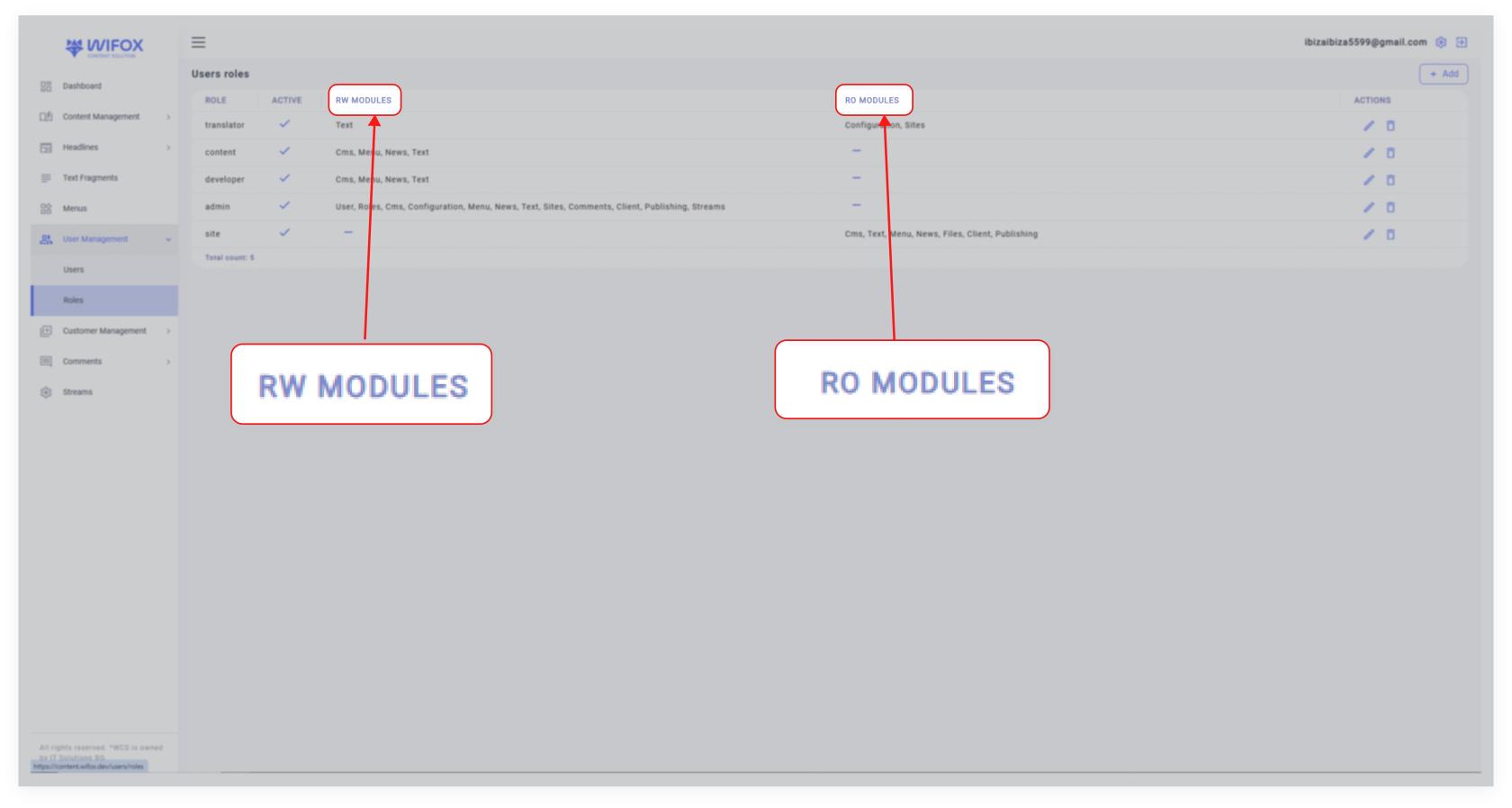
<span style="color: rgb(161, 163, 165);"><span style="font-size: 12pt; font-family: Arial, sans-serif; background-color: transparent; font-weight: 400; font-style: normal; font-variant: normal; text-decoration: none; vertical-align: baseline; white-space: pre-wrap;">The </span><span style="font-size: 12pt; font-family: Arial, sans-serif; background-color: transparent; font-weight: bold; font-style: normal; font-variant: normal; text-decoration: none; vertical-align: baseline; white-space: pre-wrap;">User Roles</span><span style="font-size: 12pt; font-family: Arial, sans-serif; background-color: transparent; font-weight: 400; font-style: normal; font-variant: normal; text-decoration: none; vertical-align: baseline; white-space: pre-wrap;"> section in Wifox Business Content Solution allows administrators to manage and define roles with specific access levels for different modules. This section supports </span><span style="font-size: 12pt; font-family: Arial, sans-serif; background-color: transparent; font-weight: bold; font-style: normal; font-variant: normal; text-decoration: none; vertical-align: baseline; white-space: pre-wrap;">Read-Only (RO)</span><span style="font-size: 12pt; font-family: Arial, sans-serif; background-color: transparent; font-weight: 400; font-style: normal; font-variant: normal; text-decoration: none; vertical-align: baseline; white-space: pre-wrap;"> and </span><span style="font-size: 12pt; font-family: Arial, sans-serif; background-color: transparent; font-weight: bold; font-style: normal; font-variant: normal; text-decoration: none; vertical-align: baseline; white-space: pre-wrap;">Read-Write (RW)</span><span style="font-size: 12pt; font-family: Arial, sans-serif; background-color: transparent; font-weight: 400; font-style: normal; font-variant: normal; text-decoration: none; vertical-align: baseline; white-space: pre-wrap;"> permissions, offering precise control over what users can view and edit.</span></span>

### <span style="font-size: 13pt; font-family: Arial, sans-serif; color: rgb(161, 163, 165); background-color: transparent; font-weight: bold; font-style: normal; font-variant: normal; text-decoration: none; vertical-align: baseline; white-space: pre-wrap;">Use Case Example</span>

<span style="color: rgb(161, 163, 165);"><span style="font-size: 12pt; font-family: Arial, sans-serif; background-color: transparent; font-weight: 400; font-style: normal; font-variant: normal; text-decoration: none; vertical-align: baseline; white-space: pre-wrap;">A company creates a "Content Manager" role with </span><span style="font-size: 12pt; font-family: Arial, sans-serif; background-color: transparent; font-weight: bold; font-style: normal; font-variant: normal; text-decoration: none; vertical-align: baseline; white-space: pre-wrap;">Read-Write</span><span style="font-size: 12pt; font-family: Arial, sans-serif; background-color: transparent; font-weight: 400; font-style: normal; font-variant: normal; text-decoration: none; vertical-align: baseline; white-space: pre-wrap;"> access to modules like </span><span style="font-size: 12pt; font-family: Arial, sans-serif; background-color: transparent; font-weight: bold; font-style: normal; font-variant: normal; text-decoration: none; vertical-align: baseline; white-space: pre-wrap;">Text</span><span style="font-size: 12pt; font-family: Arial, sans-serif; background-color: transparent; font-weight: 400; font-style: normal; font-variant: normal; text-decoration: none; vertical-align: baseline; white-space: pre-wrap;">, </span><span style="font-size: 12pt; font-family: Arial, sans-serif; background-color: transparent; font-weight: bold; font-style: normal; font-variant: normal; text-decoration: none; vertical-align: baseline; white-space: pre-wrap;">CMS</span><span style="font-size: 12pt; font-family: Arial, sans-serif; background-color: transparent; font-weight: 400; font-style: normal; font-variant: normal; text-decoration: none; vertical-align: baseline; white-space: pre-wrap;">, and </span><span style="font-size: 12pt; font-family: Arial, sans-serif; background-color: transparent; font-weight: bold; font-style: normal; font-variant: normal; text-decoration: none; vertical-align: baseline; white-space: pre-wrap;">News</span><span style="font-size: 12pt; font-family: Arial, sans-serif; background-color: transparent; font-weight: 400; font-style: normal; font-variant: normal; text-decoration: none; vertical-align: baseline; white-space: pre-wrap;">, and </span><span style="font-size: 12pt; font-family: Arial, sans-serif; background-color: transparent; font-weight: bold; font-style: normal; font-variant: normal; text-decoration: none; vertical-align: baseline; white-space: pre-wrap;">Read-Only</span><span style="font-size: 12pt; font-family: Arial, sans-serif; background-color: transparent; font-weight: 400; font-style: normal; font-variant: normal; text-decoration: none; vertical-align: baseline; white-space: pre-wrap;"> access to sensitive modules like </span><span style="font-size: 12pt; font-family: Arial, sans-serif; background-color: transparent; font-weight: bold; font-style: normal; font-variant: normal; text-decoration: none; vertical-align: baseline; white-space: pre-wrap;">Configuration</span><span style="font-size: 12pt; font-family: Arial, sans-serif; background-color: transparent; font-weight: 400; font-style: normal; font-variant: normal; text-decoration: none; vertical-align: baseline; white-space: pre-wrap;">. This role ensures the user can manage content effectively while maintaining system security.</span></span>

#### <span style="font-size: 11pt; font-family: Arial, sans-serif; color: rgb(161, 163, 165); background-color: transparent; font-weight: bold; font-style: normal; font-variant: normal; text-decoration: none; vertical-align: baseline; white-space: pre-wrap;">What Do RO and RW Mean?</span>

[![10,01 (20).jpg](https://wiki.wi.services/uploads/images/gallery/2025-04/scaled-1680-/1001-20.jpg)](https://wiki.wi.services/uploads/images/gallery/2025-04/1001-20.jpg)

- <span style="color: rgb(161, 163, 165);"><span style="font-size: 11pt; font-family: Arial, sans-serif; background-color: transparent; font-weight: bold; font-style: normal; font-variant: normal; text-decoration: none; vertical-align: baseline; white-space: pre-wrap;">Read-Only (RO)</span><span style="font-size: 12pt; font-family: Arial, sans-serif; background-color: transparent; font-weight: 400; font-style: normal; font-variant: normal; text-decoration: none; vertical-align: baseline; white-space: pre-wrap;">: Allows users to view and read content within the module but prevents them from making changes.</span></span>
- <span style="color: rgb(161, 163, 165);"><span style="font-size: 12pt; font-family: Arial, sans-serif; background-color: transparent; font-weight: bold; font-style: normal; font-variant: normal; text-decoration: none; vertical-align: baseline; white-space: pre-wrap;">Read-Write (RW)</span><span style="font-size: 12pt; font-family: Arial, sans-serif; background-color: transparent; font-weight: 400; font-style: normal; font-variant: normal; text-decoration: none; vertical-align: baseline; white-space: pre-wrap;">: Grants users full access to read, edit, delete, and manage content within the module.</span></span>

### <span style="font-size: 13pt; font-family: Arial, sans-serif; color: rgb(161, 163, 165); background-color: transparent; font-weight: bold; font-style: normal; font-variant: normal; text-decoration: none; vertical-align: baseline; white-space: pre-wrap;">Key Features of User Roles</span>

<span style="font-size: 12pt; font-family: Arial, sans-serif; color: rgb(161, 163, 165); background-color: transparent; font-weight: bold; font-style: normal; font-variant: normal; text-decoration: none; vertical-align: baseline; white-space: pre-wrap;">1. Flexible Permissions</span>

<span style="font-size: 12pt; font-family: Arial, sans-serif; color: rgb(161, 163, 165); background-color: transparent; font-weight: 400; font-style: normal; font-variant: normal; text-decoration: none; vertical-align: baseline; white-space: pre-wrap;">Assign permissions dynamically by dragging and dropping modules or selecting them with a click.</span>

<span style="font-size: 12pt; font-family: Arial, sans-serif; color: rgb(161, 163, 165); background-color: transparent; font-weight: bold; font-style: normal; font-variant: normal; text-decoration: none; vertical-align: baseline; white-space: pre-wrap;">2. Granular Control</span>

<span style="color: rgb(161, 163, 165);"><span style="font-size: 12pt; font-family: Arial, sans-serif; background-color: transparent; font-weight: 400; font-style: normal; font-variant: normal; text-decoration: none; vertical-align: baseline; white-space: pre-wrap;">Specify </span><span style="font-size: 12pt; font-family: Arial, sans-serif; background-color: transparent; font-weight: bold; font-style: normal; font-variant: normal; text-decoration: none; vertical-align: baseline; white-space: pre-wrap;">Read-Only</span><span style="font-size: 12pt; font-family: Arial, sans-serif; background-color: transparent; font-weight: 400; font-style: normal; font-variant: normal; text-decoration: none; vertical-align: baseline; white-space: pre-wrap;"> or </span><span style="font-size: 12pt; font-family: Arial, sans-serif; background-color: transparent; font-weight: bold; font-style: normal; font-variant: normal; text-decoration: none; vertical-align: baseline; white-space: pre-wrap;">Read-Write</span><span style="font-size: 12pt; font-family: Arial, sans-serif; background-color: transparent; font-weight: 400; font-style: normal; font-variant: normal; text-decoration: none; vertical-align: baseline; white-space: pre-wrap;"> access for each module, ensuring tailored access for different users.</span></span>

<span style="font-size: 12pt; font-family: Arial, sans-serif; color: rgb(161, 163, 165); background-color: transparent; font-weight: bold; font-style: normal; font-variant: normal; text-decoration: none; vertical-align: baseline; white-space: pre-wrap;">3. Active/Inactive Toggle</span>

<span style="color: rgb(161, 163, 165);"><span style="font-size: 12pt; font-family: Arial, sans-serif; background-color: transparent; font-weight: 400; font-style: normal; font-variant: normal; text-decoration: none; vertical-align: baseline; white-space: pre-wrap;">Instantly activate or deactivate roles by checking or unchecking the </span><span style="font-size: 12pt; font-family: Arial, sans-serif; background-color: transparent; font-weight: bold; font-style: normal; font-variant: normal; text-decoration: none; vertical-align: baseline; white-space: pre-wrap;">Active</span><span style="font-size: 12pt; font-family: Arial, sans-serif; background-color: transparent; font-weight: 400; font-style: normal; font-variant: normal; text-decoration: none; vertical-align: baseline; white-space: pre-wrap;"> box.</span></span>

<span style="font-size: 12pt; font-family: Arial, sans-serif; color: rgb(161, 163, 165); background-color: transparent; font-weight: bold; font-style: normal; font-variant: normal; text-decoration: none; vertical-align: baseline; white-space: pre-wrap;">4. Comprehensive Role Management</span>

<span style="font-size: 12pt; font-family: Arial, sans-serif; color: rgb(161, 163, 165); background-color: transparent; font-weight: 400; font-style: normal; font-variant: normal; text-decoration: none; vertical-align: baseline; white-space: pre-wrap;">Easily add, edit, or delete roles to match the changing needs of your organization.</span>

### <span style="font-size: 14pt; font-family: Arial, sans-serif; color: rgb(161, 163, 165); background-color: transparent; font-weight: bold; font-style: normal; font-variant: normal; text-decoration: none; vertical-align: baseline; white-space: pre-wrap;">How to Add a New Role</span>

<span style="font-size: 12pt; font-family: Arial, sans-serif; color: rgb(161, 163, 165); background-color: transparent; font-weight: bold; font-style: normal; font-variant: normal; text-decoration: none; vertical-align: baseline; white-space: pre-wrap;">1. Click Add Role</span>

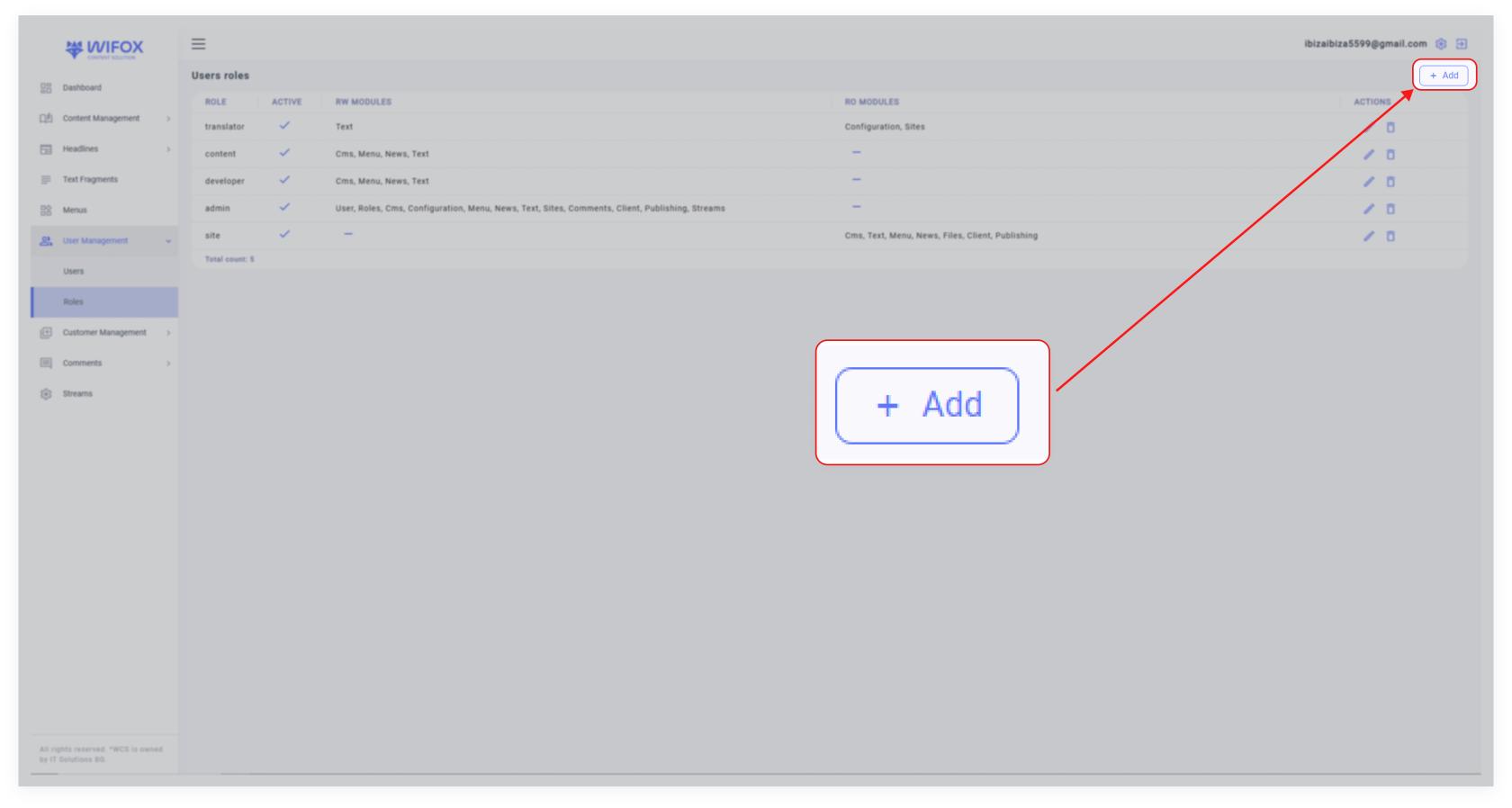
<span style="color: rgb(161, 163, 165);"><span style="font-size: 12pt; font-family: Arial, sans-serif; background-color: transparent; font-weight: 400; font-style: normal; font-variant: normal; text-decoration: none; vertical-align: baseline; white-space: pre-wrap;">Navigate to the </span><span style="font-size: 12pt; font-family: Arial, sans-serif; background-color: transparent; font-weight: bold; font-style: normal; font-variant: normal; text-decoration: none; vertical-align: baseline; white-space: pre-wrap;">Users Roles</span><span style="font-size: 12pt; font-family: Arial, sans-serif; background-color: transparent; font-weight: 400; font-style: normal; font-variant: normal; text-decoration: none; vertical-align: baseline; white-space: pre-wrap;"> section and click the </span><span style="font-size: 12pt; font-family: Arial, sans-serif; background-color: transparent; font-weight: bold; font-style: normal; font-variant: normal; text-decoration: none; vertical-align: baseline; white-space: pre-wrap;">Add +</span><span style="font-size: 12pt; font-family: Arial, sans-serif; background-color: transparent; font-weight: 400; font-style: normal; font-variant: normal; text-decoration: none; vertical-align: baseline; white-space: pre-wrap;"> button.</span></span>

[![10,01 (21).jpg](https://wiki.wi.services/uploads/images/gallery/2025-04/scaled-1680-/1001-21.jpg)](https://wiki.wi.services/uploads/images/gallery/2025-04/1001-21.jpg)

<span style="font-size: 12pt; font-family: Arial, sans-serif; color: rgb(161, 163, 165); background-color: transparent; font-weight: bold; font-style: normal; font-variant: normal; text-decoration: none; vertical-align: baseline; white-space: pre-wrap;">2. Fill in Details</span>

<span style="color: rgb(161, 163, 165);"><span style="font-size: 12pt; font-family: Arial, sans-serif; background-color: transparent; font-weight: bold; font-style: normal; font-variant: normal; text-decoration: none; vertical-align: baseline; white-space: pre-wrap;">Name</span><span style="font-size: 12pt; font-family: Arial, sans-serif; background-color: transparent; font-weight: 400; font-style: normal; font-variant: normal; text-decoration: none; vertical-align: baseline; white-space: pre-wrap;">: Enter the role's name (e.g., "Translator" or "Admin").</span></span>

<span style="font-size: 12pt; font-family: Arial, sans-serif; color: rgb(161, 163, 165); background-color: transparent; font-weight: 400; font-style: normal; font-variant: normal; text-decoration: none; vertical-align: baseline; white-space: pre-wrap;"><span style="border: none; display: inline-block; overflow: hidden; width: 434px; height: 136px;">![](https://lh7-rt.googleusercontent.com/docsz/AD_4nXedR0yY_WfPYdhzKmFQS1yOD5wXCzD7F3gLXCzTBpnWnfAUrh1MW_KZFp4oNlGhAfrx2Rm0dc7rJHTCTLJa7RszRrWoo3YVcrAFmbaL5pLtNkJ14XWm0ApDGTqNHrzais7_vJIz?key=0gy6H2urLwUKcuJX_5Q8Ycab)</span></span>

<span style="color: rgb(161, 163, 165);"><span style="font-size: 12pt; font-family: Arial, sans-serif; background-color: transparent; font-weight: bold; font-style: normal; font-variant: normal; text-decoration: none; vertical-align: baseline; white-space: pre-wrap;">Set Permissions</span><span style="font-size: 12pt; font-family: Arial, sans-serif; background-color: transparent; font-weight: 400; font-style: normal; font-variant: normal; text-decoration: none; vertical-align: baseline; white-space: pre-wrap;">:</span></span>

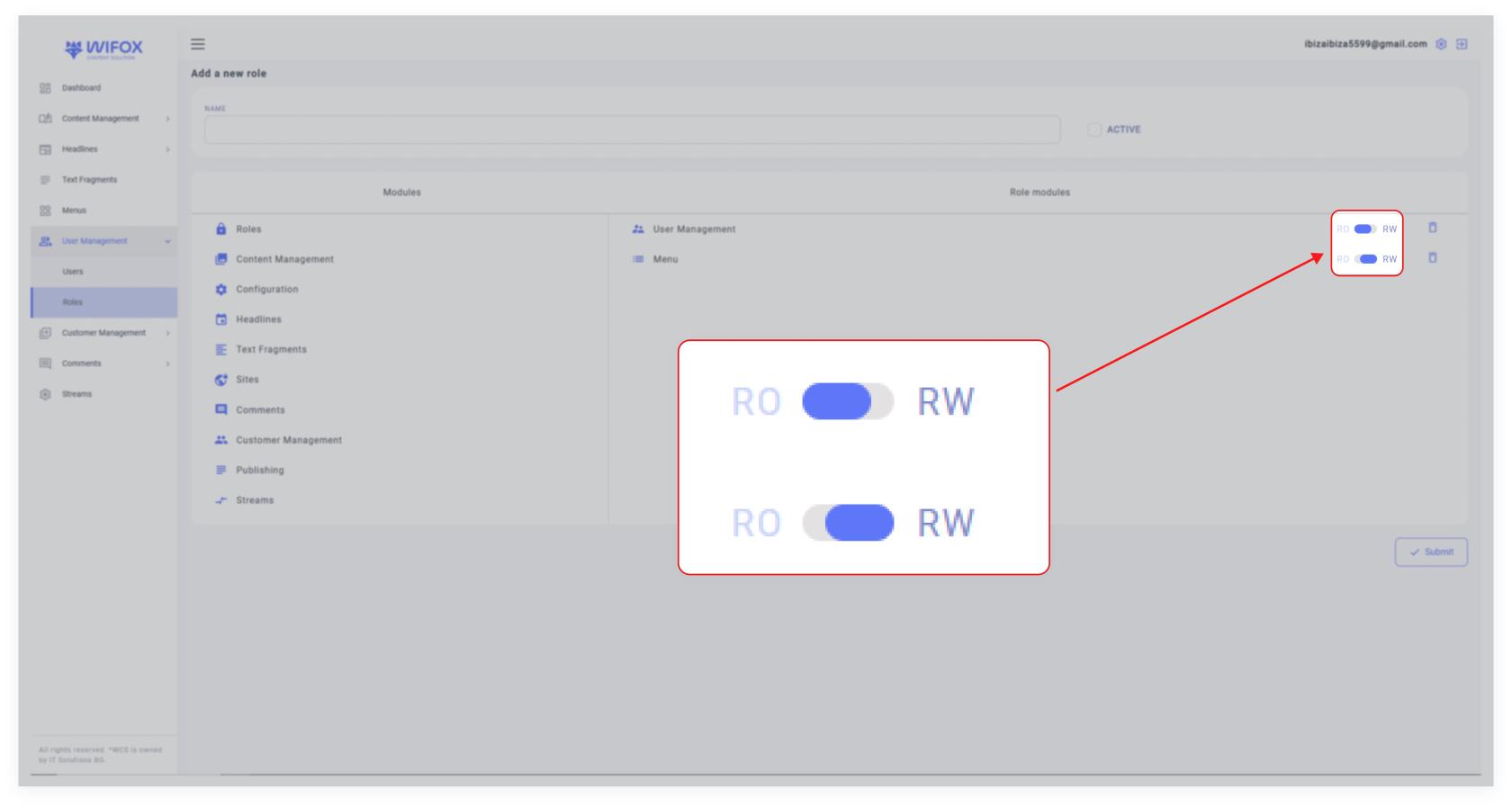
<span style="font-size: 12pt; font-family: Arial, sans-serif; color: rgb(161, 163, 165); background-color: transparent; font-weight: 400; font-style: normal; font-variant: normal; text-decoration: none; vertical-align: baseline; white-space: pre-wrap;">Drag and drop modules from the list or click on them to assign permissions.</span>

<span style="color: rgb(161, 163, 165);"><span style="font-size: 12pt; font-family: Arial, sans-serif; background-color: transparent; font-weight: 400; font-style: normal; font-variant: normal; text-decoration: none; vertical-align: baseline; white-space: pre-wrap;">Select either </span><span style="font-size: 12pt; font-family: Arial, sans-serif; background-color: transparent; font-weight: bold; font-style: normal; font-variant: normal; text-decoration: none; vertical-align: baseline; white-space: pre-wrap;">RO (Read-Only)</span><span style="font-size: 12pt; font-family: Arial, sans-serif; background-color: transparent; font-weight: 400; font-style: normal; font-variant: normal; text-decoration: none; vertical-align: baseline; white-space: pre-wrap;"> or </span><span style="font-size: 12pt; font-family: Arial, sans-serif; background-color: transparent; font-weight: bold; font-style: normal; font-variant: normal; text-decoration: none; vertical-align: baseline; white-space: pre-wrap;">RW (Read-Write)</span><span style="font-size: 12pt; font-family: Arial, sans-serif; background-color: transparent; font-weight: 400; font-style: normal; font-variant: normal; text-decoration: none; vertical-align: baseline; white-space: pre-wrap;"> for each module using the toggle.</span></span>

[![10,01 (22).jpg](https://wiki.wi.services/uploads/images/gallery/2025-04/scaled-1680-/1001-22.jpg)](https://wiki.wi.services/uploads/images/gallery/2025-04/1001-22.jpg)

<span style="font-size: 12pt; font-family: Arial, sans-serif; color: rgb(161, 163, 165); background-color: transparent; font-weight: bold; font-style: normal; font-variant: normal; text-decoration: none; vertical-align: baseline; white-space: pre-wrap;">3. Set Active Status</span>

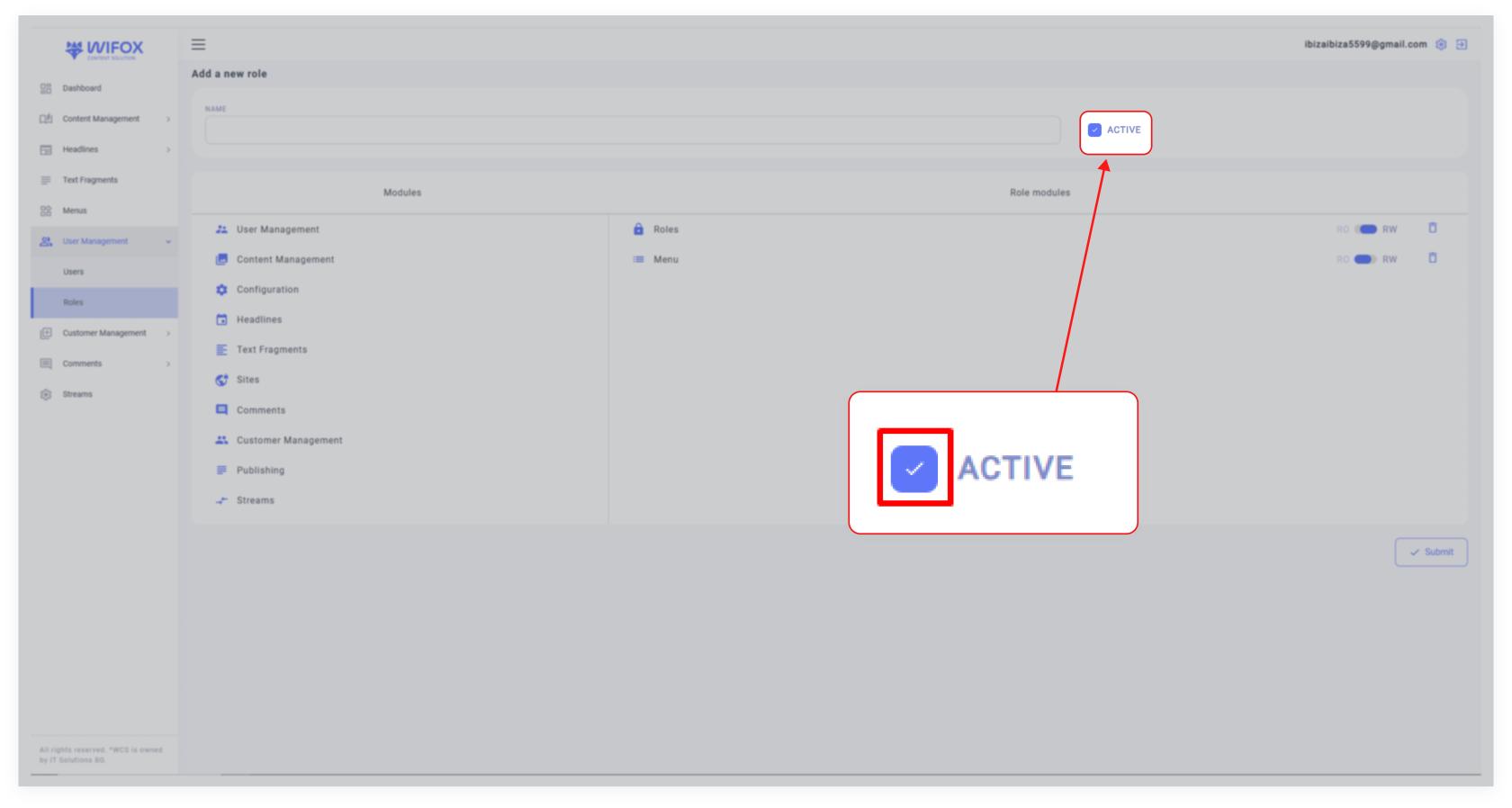
<span style="color: rgb(161, 163, 165);"><span style="font-size: 12pt; font-family: Arial, sans-serif; background-color: transparent; font-weight: 400; font-style: normal; font-variant: normal; text-decoration: none; vertical-align: baseline; white-space: pre-wrap;">Check the </span><span style="font-size: 12pt; font-family: Arial, sans-serif; background-color: transparent; font-weight: bold; font-style: normal; font-variant: normal; text-decoration: none; vertical-align: baseline; white-space: pre-wrap;">Active</span><span style="font-size: 12pt; font-family: Arial, sans-serif; background-color: transparent; font-weight: 400; font-style: normal; font-variant: normal; text-decoration: none; vertical-align: baseline; white-space: pre-wrap;"> box to activate the role immediately.</span></span>

[![10,01 (23).jpg](https://wiki.wi.services/uploads/images/gallery/2025-04/scaled-1680-/1001-23.jpg)](https://wiki.wi.services/uploads/images/gallery/2025-04/1001-23.jpg)

<span style="font-size: 12pt; font-family: Arial, sans-serif; color: rgb(161, 163, 165); background-color: transparent; font-weight: bold; font-style: normal; font-variant: normal; text-decoration: none; vertical-align: baseline; white-space: pre-wrap;">4. Submit</span>

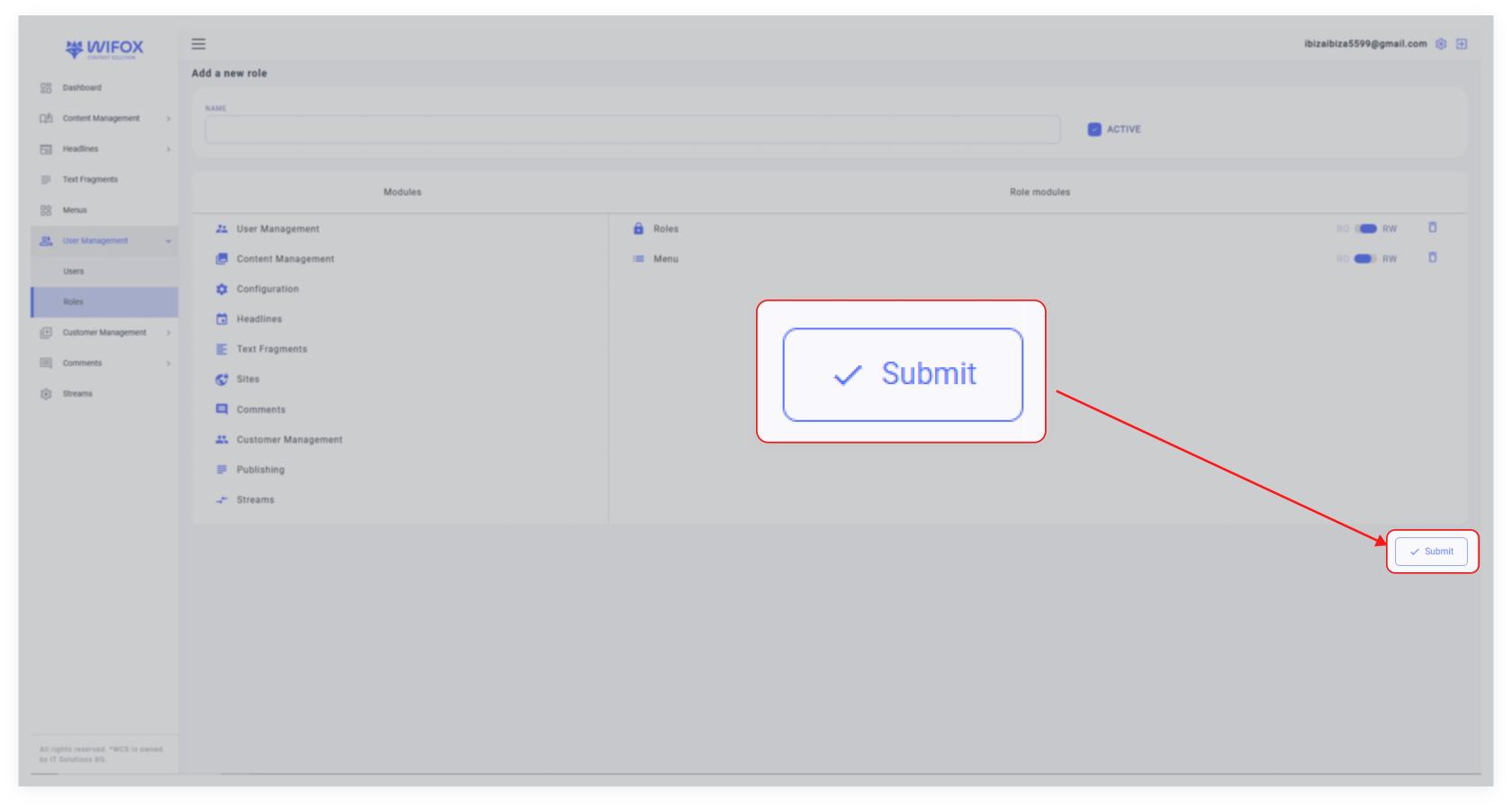
<span style="color: rgb(161, 163, 165);"><span style="font-size: 12pt; font-family: Arial, sans-serif; background-color: transparent; font-weight: 400; font-style: normal; font-variant: normal; text-decoration: none; vertical-align: baseline; white-space: pre-wrap;">Once all details are completed, click </span><span style="font-size: 12pt; font-family: Arial, sans-serif; background-color: transparent; font-weight: bold; font-style: normal; font-variant: normal; text-decoration: none; vertical-align: baseline; white-space: pre-wrap;">Submit</span><span style="font-size: 12pt; font-family: Arial, sans-serif; background-color: transparent; font-weight: 400; font-style: normal; font-variant: normal; text-decoration: none; vertical-align: baseline; white-space: pre-wrap;"> to save the new role.</span></span>

[![10,01 (24).jpg](https://wiki.wi.services/uploads/images/gallery/2025-04/scaled-1680-/1001-24.jpg)](https://wiki.wi.services/uploads/images/gallery/2025-04/1001-24.jpg)

### <span style="font-size: 14pt; font-family: Arial, sans-serif; color: rgb(161, 163, 165); background-color: transparent; font-weight: bold; font-style: normal; font-variant: normal; text-decoration: none; vertical-align: baseline; white-space: pre-wrap;">How to Edit a Role</span>

<span style="font-size: 12pt; font-family: Arial, sans-serif; color: rgb(161, 163, 165); background-color: transparent; font-weight: bold; font-style: normal; font-variant: normal; text-decoration: none; vertical-align: baseline; white-space: pre-wrap;">1. Select the Role</span>

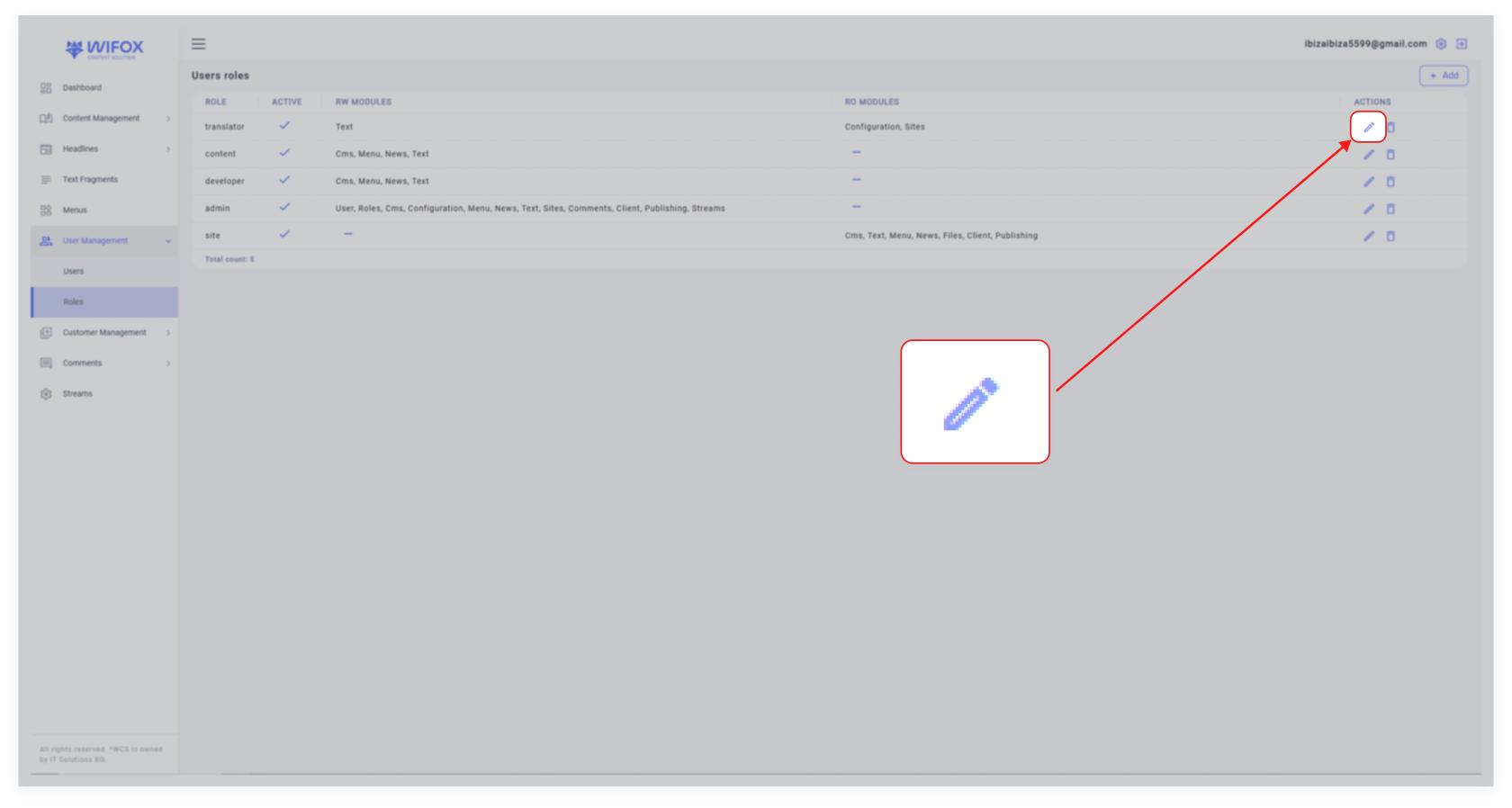
<span style="color: rgb(161, 163, 165);"><span style="font-size: 12pt; font-family: Arial, sans-serif; background-color: transparent; font-weight: 400; font-style: normal; font-variant: normal; text-decoration: none; vertical-align: baseline; white-space: pre-wrap;">Find the role you wish to edit in the </span><span style="font-size: 12pt; font-family: Arial, sans-serif; background-color: transparent; font-weight: bold; font-style: normal; font-variant: normal; text-decoration: none; vertical-align: baseline; white-space: pre-wrap;">Users Roles</span><span style="font-size: 12pt; font-family: Arial, sans-serif; background-color: transparent; font-weight: 400; font-style: normal; font-variant: normal; text-decoration: none; vertical-align: baseline; white-space: pre-wrap;"> list and click the </span><span style="font-size: 12pt; font-family: Arial, sans-serif; background-color: transparent; font-weight: bold; font-style: normal; font-variant: normal; text-decoration: none; vertical-align: baseline; white-space: pre-wrap;">pencil icon</span><span style="font-size: 12pt; font-family: Arial, sans-serif; background-color: transparent; font-weight: 400; font-style: normal; font-variant: normal; text-decoration: none; vertical-align: baseline; white-space: pre-wrap;">.</span></span>

[![10,01 (25).jpg](https://wiki.wi.services/uploads/images/gallery/2025-04/scaled-1680-/1001-25.jpg)](https://wiki.wi.services/uploads/images/gallery/2025-04/1001-25.jpg)

<span style="font-size: 12pt; font-family: Arial, sans-serif; color: rgb(161, 163, 165); background-color: transparent; font-weight: bold; font-style: normal; font-variant: normal; text-decoration: none; vertical-align: baseline; white-space: pre-wrap;">2. Update Details</span>

<span style="color: rgb(161, 163, 165);"><span style="font-size: 12pt; font-family: Arial, sans-serif; background-color: transparent; font-weight: 400; font-style: normal; font-variant: normal; text-decoration: none; vertical-align: baseline; white-space: pre-wrap;">Modify the role name, permissions, or module access by dragging/dropping or clicking to toggle permissions between </span><span style="font-size: 12pt; font-family: Arial, sans-serif; background-color: transparent; font-weight: bold; font-style: normal; font-variant: normal; text-decoration: none; vertical-align: baseline; white-space: pre-wrap;">RO</span><span style="font-size: 12pt; font-family: Arial, sans-serif; background-color: transparent; font-weight: 400; font-style: normal; font-variant: normal; text-decoration: none; vertical-align: baseline; white-space: pre-wrap;"> and </span><span style="font-size: 12pt; font-family: Arial, sans-serif; background-color: transparent; font-weight: bold; font-style: normal; font-variant: normal; text-decoration: none; vertical-align: baseline; white-space: pre-wrap;">RW</span><span style="font-size: 12pt; font-family: Arial, sans-serif; background-color: transparent; font-weight: 400; font-style: normal; font-variant: normal; text-decoration: none; vertical-align: baseline; white-space: pre-wrap;">.</span></span>

<span style="color: rgb(161, 163, 165);"><span style="font-size: 12pt; font-family: Arial, sans-serif; background-color: transparent; font-weight: 400; font-style: normal; font-variant: normal; text-decoration: none; vertical-align: baseline; white-space: pre-wrap;">Adjust the </span><span style="font-size: 12pt; font-family: Arial, sans-serif; background-color: transparent; font-weight: bold; font-style: normal; font-variant: normal; text-decoration: none; vertical-align: baseline; white-space: pre-wrap;">Active</span><span style="font-size: 12pt; font-family: Arial, sans-serif; background-color: transparent; font-weight: 400; font-style: normal; font-variant: normal; text-decoration: none; vertical-align: baseline; white-space: pre-wrap;"> status if needed.</span></span>

<span style="font-size: 12pt; font-family: Arial, sans-serif; color: rgb(161, 163, 165); background-color: transparent; font-weight: bold; font-style: normal; font-variant: normal; text-decoration: none; vertical-align: baseline; white-space: pre-wrap;">3. Submit Changes</span>

<span style="color: rgb(161, 163, 165);"><span style="font-size: 12pt; font-family: Arial, sans-serif; background-color: transparent; font-weight: 400; font-style: normal; font-variant: normal; text-decoration: none; vertical-align: baseline; white-space: pre-wrap;">After making the updates, click </span><span style="font-size: 12pt; font-family: Arial, sans-serif; background-color: transparent; font-weight: bold; font-style: normal; font-variant: normal; text-decoration: none; vertical-align: baseline; white-space: pre-wrap;">Submit</span><span style="font-size: 12pt; font-family: Arial, sans-serif; background-color: transparent; font-weight: 400; font-style: normal; font-variant: normal; text-decoration: none; vertical-align: baseline; white-space: pre-wrap;"> to save changes.</span></span>

### <span style="font-size: 14pt; font-family: Arial, sans-serif; color: rgb(161, 163, 165); background-color: transparent; font-weight: bold; font-style: normal; font-variant: normal; text-decoration: none; vertical-align: baseline; white-space: pre-wrap;">How to Delete a Role</span>

<span style="font-size: 12pt; font-family: Arial, sans-serif; color: rgb(161, 163, 165); background-color: transparent; font-weight: bold; font-style: normal; font-variant: normal; text-decoration: none; vertical-align: baseline; white-space: pre-wrap;">1. Locate the Role</span>

<span style="color: rgb(161, 163, 165);"><span style="font-size: 12pt; font-family: Arial, sans-serif; background-color: transparent; font-weight: 400; font-style: normal; font-variant: normal; text-decoration: none; vertical-align: baseline; white-space: pre-wrap;">Find the role you wish to remove in the </span><span style="font-size: 12pt; font-family: Arial, sans-serif; background-color: transparent; font-weight: bold; font-style: normal; font-variant: normal; text-decoration: none; vertical-align: baseline; white-space: pre-wrap;">Users Roles</span><span style="font-size: 12pt; font-family: Arial, sans-serif; background-color: transparent; font-weight: 400; font-style: normal; font-variant: normal; text-decoration: none; vertical-align: baseline; white-space: pre-wrap;"> list.</span></span>

<span style="font-size: 12pt; font-family: Arial, sans-serif; color: rgb(161, 163, 165); background-color: transparent; font-weight: bold; font-style: normal; font-variant: normal; text-decoration: none; vertical-align: baseline; white-space: pre-wrap;">2. Delete the Role</span>

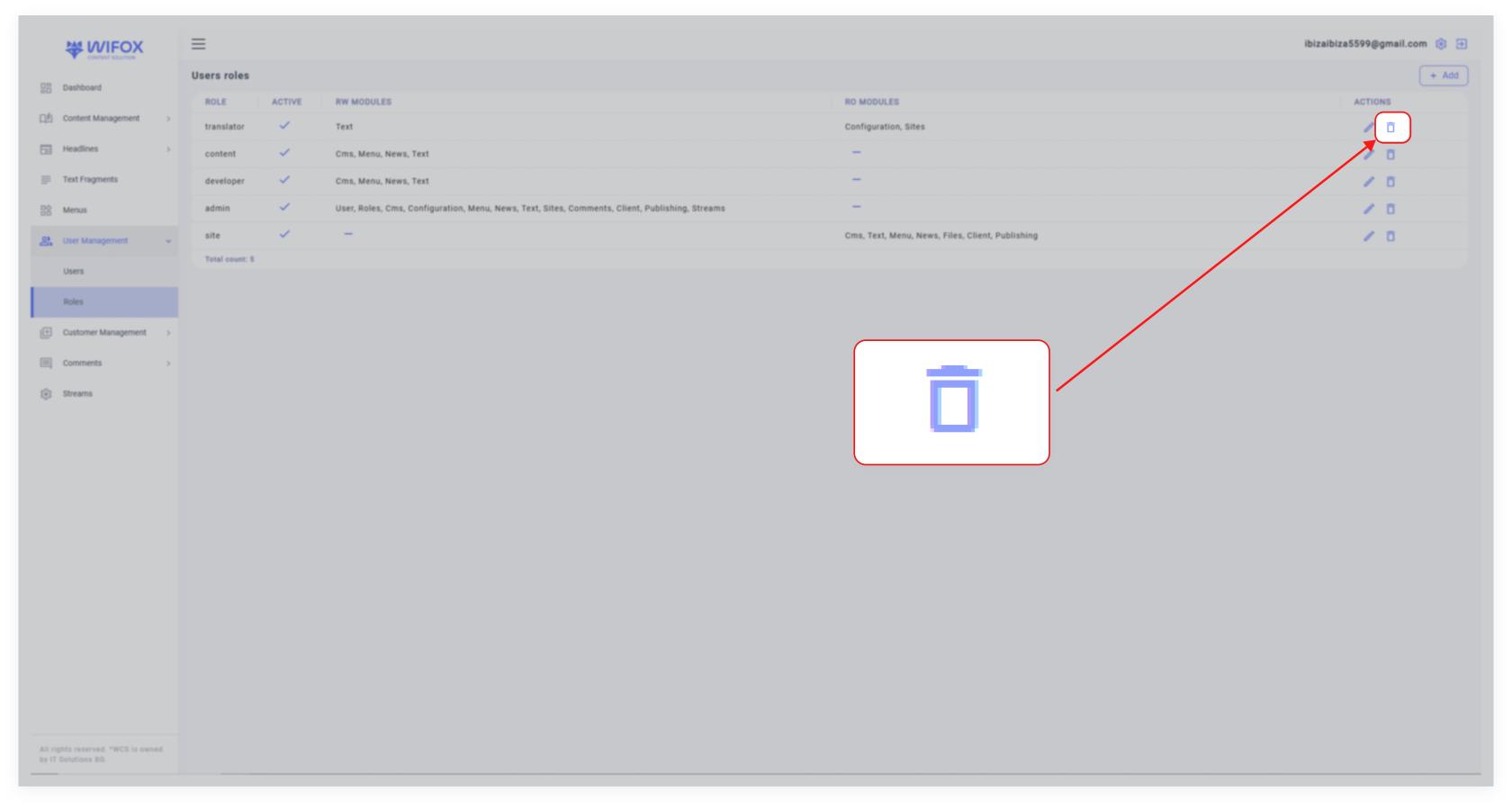
<span style="color: rgb(161, 163, 165);"><span style="font-size: 12pt; font-family: Arial, sans-serif; background-color: transparent; font-weight: 400; font-style: normal; font-variant: normal; text-decoration: none; vertical-align: baseline; white-space: pre-wrap;">Click the </span><span style="font-size: 12pt; font-family: Arial, sans-serif; background-color: transparent; font-weight: bold; font-style: normal; font-variant: normal; text-decoration: none; vertical-align: baseline; white-space: pre-wrap;">trash icon</span><span style="font-size: 12pt; font-family: Arial, sans-serif; background-color: transparent; font-weight: 400; font-style: normal; font-variant: normal; text-decoration: none; vertical-align: baseline; white-space: pre-wrap;"> next to the role.</span></span>

[![10,01 (26).jpg](https://wiki.wi.services/uploads/images/gallery/2025-04/scaled-1680-/1001-26.jpg)](https://wiki.wi.services/uploads/images/gallery/2025-04/1001-26.jpg)

<span style="font-size: 12pt; font-family: Arial, sans-serif; color: rgb(161, 163, 165); background-color: transparent; font-weight: bold; font-style: normal; font-variant: normal; text-decoration: none; vertical-align: baseline; white-space: pre-wrap;">3. Confirm Deletion</span>

<span style="color: rgb(161, 163, 165);"><span style="font-size: 12pt; font-family: Arial, sans-serif; background-color: transparent; font-weight: 400; font-style: normal; font-variant: normal; text-decoration: none; vertical-align: baseline; white-space: pre-wrap;">Confirm the action by clicking </span><span style="font-size: 12pt; font-family: Arial, sans-serif; background-color: transparent; font-weight: bold; font-style: normal; font-variant: normal; text-decoration: none; vertical-align: baseline; white-space: pre-wrap;">OK</span><span style="font-size: 12pt; font-family: Arial, sans-serif; background-color: transparent; font-weight: 400; font-style: normal; font-variant: normal; text-decoration: none; vertical-align: baseline; white-space: pre-wrap;"> to permanently delete the role.</span></span>

<span style="font-size: 12pt; font-family: Arial, sans-serif; color: rgb(161, 163, 165); background-color: transparent; font-weight: 400; font-style: normal; font-variant: normal; text-decoration: none; vertical-align: baseline; white-space: pre-wrap;"><span style="border: none; display: inline-block; overflow: hidden; width: 332px; height: 96px;">![](https://lh7-rt.googleusercontent.com/docsz/AD_4nXfCOUs7coMTQgZoRm7t-iH6tphNKCqSli9bfN4U_bXEGzUv89p1AwYn5UAvDqFF7KctZiz3C1-jlLq6g1VuaHzv-emg1tZ7syk40oxI0PEuOzAQektCfZN5qs7v3ePvff9eJyBG9Q?key=0gy6H2urLwUKcuJX_5Q8Ycab)</span></span>

<span id="bkmrk-with-intuitive-drag--1" style="font-weight: normal; color: rgb(161, 163, 165);"><span style="font-size: 12pt; font-family: Arial, sans-serif; background-color: transparent; font-weight: 400; font-style: normal; font-variant: normal; white-space-collapse: preserve;">With intuitive drag-and-drop or click-based permissions and a streamlined interface for role creation and editing, the </span><span style="font-size: 12pt; font-family: Arial, sans-serif; background-color: transparent; font-weight: bold; font-style: normal; font-variant: normal; white-space-collapse: preserve;">User Roles</span><span style="font-size: 12pt; font-family: Arial, sans-serif; background-color: transparent; font-weight: 400; font-style: normal; font-variant: normal; white-space-collapse: preserve;"> section in Wifox Business Content Solution provides precise control over access management.</span></span>