# For Developers
# 1. How to Connect to the WBCS API
We provide documentation with examples of API requests, which can be found [\[here\]](https://postman.wi.services). The requests are categorized by the modules they are used for, including working with **Core Banking**, **Client Area**, **Clients**, and others.
[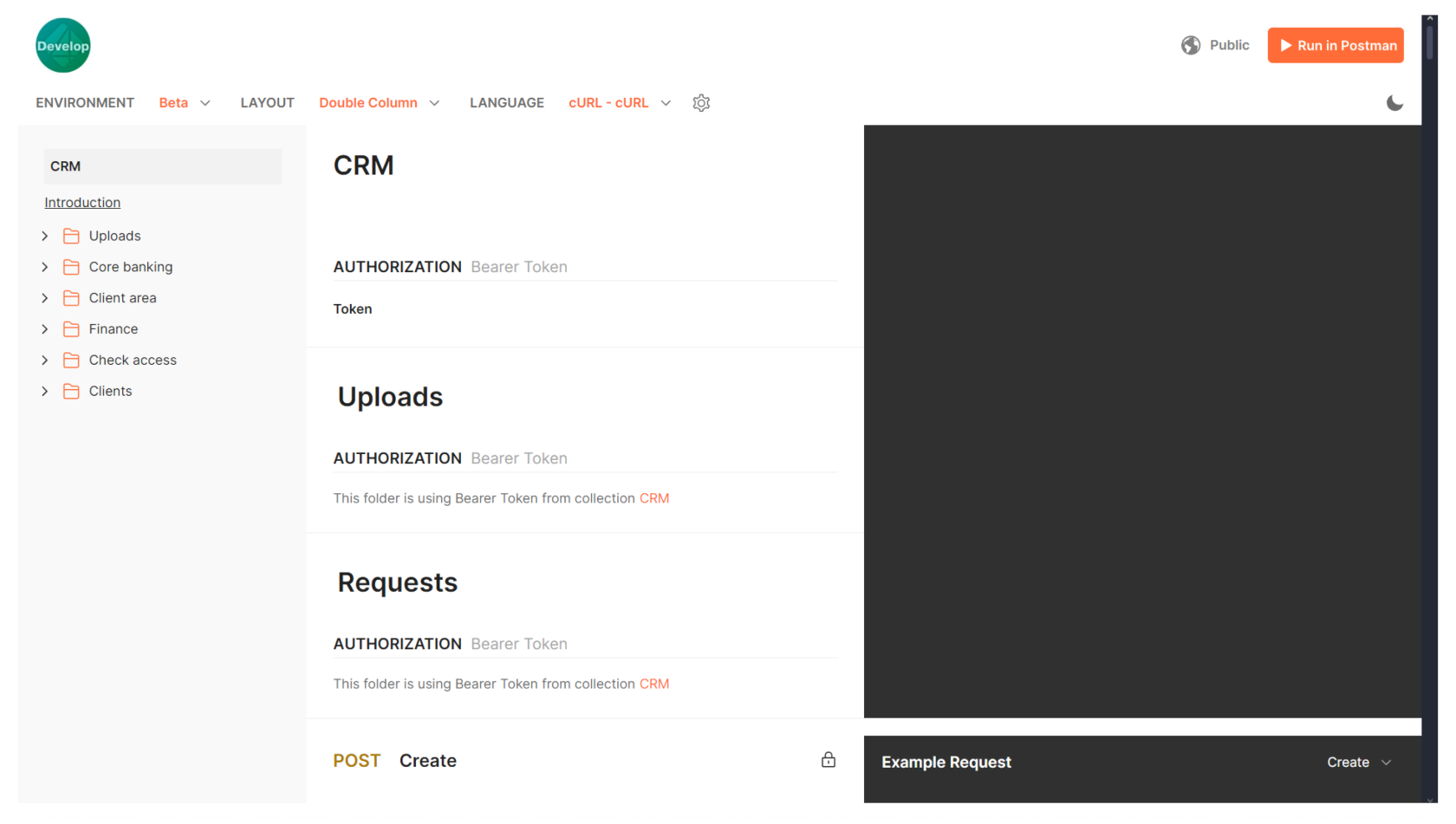](https://wiki.wi.services/uploads/images/gallery/2024-10/cU8image1.png)
To authenticate most requests, you will need an identification token (an API authorization key for Wi CRM).
**To generate an identification token**:
1\. Navigate to **Security > Identification Tokens**.
2\. In the upper right corner, click the +**Add** button.
3\. Enter a **Name** for the token.
4\. From the drop-down list, select **Role**. The selected role will determine which CRM modules will be accessible when using this token. You can read more about setting up roles [\[here\]](https://wiki.wi.services/books/wifox-business-core-solution-wbcs/page/3-how-to-create-a-role).
5\. If necessary, set an expiration date for the token. If no expiration date is specified, the token will remain valid indefinitely.
6\. Optionally, specify a **Whitelist**: a list of IP addresses for which the token will be valid. If no whitelist is provided, the token will be valid for any IP address that has the token.
7\. Click on the **Generate token** button.
**Important**: The identification token is displayed **only once**—immediately after clicking the **Generate token** button. Be sure to copy and store it securely, as it cannot be viewed again. Do not share this token with anyone, and make sure you don’t lose it.
Created tokens can be modified by adding or removing IP addresses from the whitelist. Other parameters of the token cannot be edited.
Tokens can also be deleted, but once deleted, they cannot be restored.
# Buckets Leads Status API
The Buckets Leads Status API allows authorized systems to retrieve lead data for a given **bucket** and **affiliate**, using **emails and/or client IDs**, with optional filtering, pagination, and flexible response structure.
These endpoints are **read-only** and implemented as **POST** to support bulk lookups.
---
#### 📍 Base path
```
/api/public
```
---
#### 🔐 Authentication
**Method:** Token-based via `Authorization` header
```
Authorization:
```
- No Bearer prefix
- Token must be passed as-is
**Required permission:**
👉 Buckets: View Own
If authentication fails:
```
401 Unauthorized
{
"message": "Access with the provided credentials is incorrect. CODE: X-0005",
"statusCode": 401
}
```
---
#### ⚙️ Common behavior
- Method: POST
- Format: JSON
- Client type: Server-to-server
- Supports pagination via `limit` and `offset`
---
### 📦 Endpoint: Leads by bucket & affiliate
```
POST /buckets/{bucketId}/{affiliateID}/leads
```
---
#### 🧠 Description
Returns lead data for clients identified by:
- emails
- client IDs
- or both
Includes validation:
- Bucket existence
- Bucket ownership by affiliate
---
#### 📌 Path parameters
- `bucketId` — bucket identifier
- `affiliateID` — affiliate identifier
---
#### 📥 Request headers
- Content-Type: application/json
- Authorization: ``
---
#### 📤 Request body
```json
{
"emails": ["user1@example.com"],
"ids": ["69ce524d741e8f2238329fff"],
"keyBy": "email",
"filters": {
"createdDate": ["1676172330450", "1776172330450"]
},
"limit": 100,
"offset": 0
}
```
---
#### 🧩 Fields
- `emails` — array of emails (optional)
- `ids` — array of client IDs (optional)
- `keyBy` — `"email"` (default) or `"id"`
- `filters.createdDate` — optional created date range (epoch ms strings)
- `limit` — number of records to return (default: 100)
- `offset` — number of records to skip (default: 0)
---
#### ⚠️ Notes
- If both `emails` and `ids` are empty → returns data based on filters only
- `keyBy = "id"`:
- uses client `_id` as key
- falls back to email if `_id` is missing
- Pagination is applied **after filtering**
---
#### ✅ Successful response
```
200 OK
```
Response is an object keyed by `email` or `id` (based on `keyBy`).
```json
{
"user1@example.com": {
"id": "69ce524d741e8f2238329fff",
"email": "user1@example.com",
"affiliateID": "1234567890",
"status": "active",
"createdDate": "2021-01-01T00:00:00.000Z",
"ftd": "2021-01-01T00:00:00.000Z"
}
}
```
---
#### ❌ Errors
**400 Bad Request**
- Bucket with corresponding affiliateID doesn't exist
- Provided bucketId does not belong to the provided affiliateID
**401 Unauthorized**
- Invalid or missing token
- Missing required permissions
---
### 🧩 Endpoint: Leads by bucket, affiliate & source
```
POST /buckets/{bucketId}/{affiliateID}/leads/{sourceId}
```
---
#### 🧠 Description
Same as previous endpoint, with an additional **source validation step**.
Used for **source-level access control**.
---
#### 📌 Path parameters
- `bucketId` — bucket identifier
- `affiliateID` — affiliate identifier
- `sourceId` — source identifier
---
#### 📤 Request body
Same as previous endpoint.
---
#### ⚠️ Source validation behavior
- If `sourceId` is provided → system checks that **bucket has a source assigned**
- If validation fails → request is rejected
---
#### ✅ Successful response
Same structure as previous endpoint.
---
#### ❌ Errors
**400 Bad Request**
All previous errors, plus:
- Provided sourceId does not belong to bucket
**401 Unauthorized**
Same as previous endpoint.
---
#### 🔧 Example requests
**Without sourceId**
```bash
curl -X POST "(CRM origin)/api/public/buckets///leads" \
-H "Content-Type: application/json" \
-H "Authorization: " \
-d '{
"emails": ["user1@example.com"],
"ids": ["69ce524d741e8f2238329fff"],
"limit": 50,
"offset": 0
}'
```
---
**With sourceId**
```bash
curl -X POST "(CRM origin)/api/public/buckets///leads/" \
-H "Content-Type: application/json" \
-H "Authorization: " \
-d '{
"filters": {
"createdDate": ["1676172330450", "1776172330450"]
}
}'
```
# Traders Room — Sign Up API
The **Sign Up API** allows external systems to **register new clients** in the platform.
It supports:
- Creating a new user
- Passing marketing / affiliate data
- Passing business / routing configuration
- Optional email notification
- Optional instant login via autologin link
---
## 🎯 Use Cases
- Partner platforms
- Affiliate systems
- Landing pages / funnels
- External onboarding flows
---
## 🌐 Endpoint
```
POST /tradersroom/api/auth/signup
```
---
## 🔐 Authentication
All external requests **must include an API key**.
### Header
```
x-api-key:
```
---
## ⚙️ Request Format
### Headers
---
## 📥 Request Body
### Required Fields
```json
{
"email": "user@example.com",
"phone": "+1234567890",
"firstName": "Jane"
}
```
---
## 📊 Full Field Reference
### 🧑 Basic Information
| Field | Type | Required | Description |
|---|
| email | string | ✅ | User email |
| phone | string | ✅ | Phone number |
| firstName | string | ✅ | First name |
| middleName | string | ❌ | Middle name |
| lastName | string | ❌ | Last name |
| gender | string | ❌ | Gender |
| dateOfBirth | string | ❌ | Date of birth (ISO format) |
| nationality | string | ❌ | Nationality |
| passport | string | ❌ | Passport |
---
### 📞 Contact Information
| Field | Type | Required | Description |
|---|
| additionalPhone | string | ❌ | Secondary phone |
---
### 📢 Affiliate & Marketing
| Field | Type | Required | Description |
|---|
| affiliateID | string | ❌ | Affiliate identifier |
| subID | string | ❌ | Affiliate sub-id |
| campaignId | string | ❌ | Campaign identifier |
| sourceId | string | ❌ | Traffic source |
| meta | string | ❌ | Additional metadata |
| externalId | string | ❌ | External system user ID |
---
### 🏢 Business / Routing Configuration
| Field | Type | Required | Description |
|---|
| project | string | ❌ | Project identifier |
| desk | string | ❌ | Desk identifier |
| manager | string | ❌ | Manager (id / email / name) |
| status | string | ❌ | Client status |
| state | string | ❌ | Client state (`active`, `live`, etc.) |
| type | string | ❌ | Client type |
| companyFeeGroup | string | ❌ | Fee group |
| processed | boolean | ❌ | Used in custom flows |
---
### 🛡️ Verification & Permissions
| Field | Type | Required | Description |
|---|
| verificationLevel | string | ❌ | Verification level |
| verificationStatus | string | ❌ | Verification status |
| allowToCreateAsset | boolean | ❌ | Allow asset creation |
| agreements | array | ❌ | Signed agreements |
---
### ⚙️ Traders Room Options
| Field | Type | Required | Description |
|---|
| sendEmail | boolean | ❌ | Send registration email |
---
## 📦 Nested Objects
### billing
```json
{
"billing": {
"country": "US",
"region": "NY",
"city": "New York",
"postcode": "10001",
"address": "Wall Street 1"
}
}
```
| Field | Type |
|---|
| country | string |
| region | string |
| city | string |
| postcode | string |
| address | string |
---
### agreements
```json
{
"agreements": [
{
"label": "Terms and Conditions",
"ip": "127.0.0.1",
"signedAt": "2026-01-01T12:00:00Z"
}
]
}
```
| Field | Type | Description |
|---|
| label | string | Agreement name |
| ip | string | Signing IP |
| signedAt | string | ISO date |
---
## 📤 Responses
### ✅ Success — With Autologin
```json
{
"id": "user-uuid",
"url": "https://your-domain/autologin/uuid/"
}
```
- URL allows **instant login**
- Valid for a **short time only**
---
### ✅ Success — Without Autologin
```json
{
"id": "user-uuid"
}
```
---
## ❌ Error Responses
### 400 — Invalid Request
```json
{
"message": "Email, phone and first name are required",
"providerStatus": 400
}
```
---
### 401 — Unauthorized
```json
{
"message": "Invalid secret key",
"providerStatus": 401
}
```
---
### 500 — Server Error
```json
{
"message": "Internal server error",
"providerStatus": 500
}
```
---
## 📡 Example Requests
### Basic Registration
```bash
curl -X POST "https://your-domain/tradersroom/api/auth/signup" \
-H "Content-Type: application/json" \
-H "x-api-key: YOUR_API_KEY" \
-d '{
"email": "user@example.com",
"phone": "+1234567890",
"firstName": "Jane"
}'
```
---
### Full Example
```bash
curl -X POST "https://your-domain/tradersroom/api/auth/signup" \
-H "Content-Type: application/json" \
-H "x-api-key: YOUR_API_KEY" \
-d '{
"email": "user@example.com",
"phone": "+1234567890",
"firstName": "Jane",
"lastName": "Doe",
"affiliateID": "AFF-123",
"subID": "SUB-1",
"campaignId": "CMP-456",
"sourceId": "facebook_ads",
"project": "default",
"desk": "sales",
"sendEmail": true
}'
```
---
## ⚠️ Important Notes
- Each request creates a **new user**
- Email should be **unique**
- Autologin link is **temporary**
- Store returned `id` in your system
- API key must be kept **secure**
- Some system fields are **automatically managed** and cannot be overridden
---
## 📊 Recommended Integration Flow
1. Collect user data
2. Call Sign Up API
3. Handle response:
- If `url` exists → redirect user
- Otherwise → show success message
4. Store user ID